A Guide to What Is Proxy Browser and How It Works
Wondering what is proxy browser? This 2026 guide explains how it works, its uses for privacy and testing, and how it differs from VPNs and standard proxies.
Dalvo · September 7, 2026
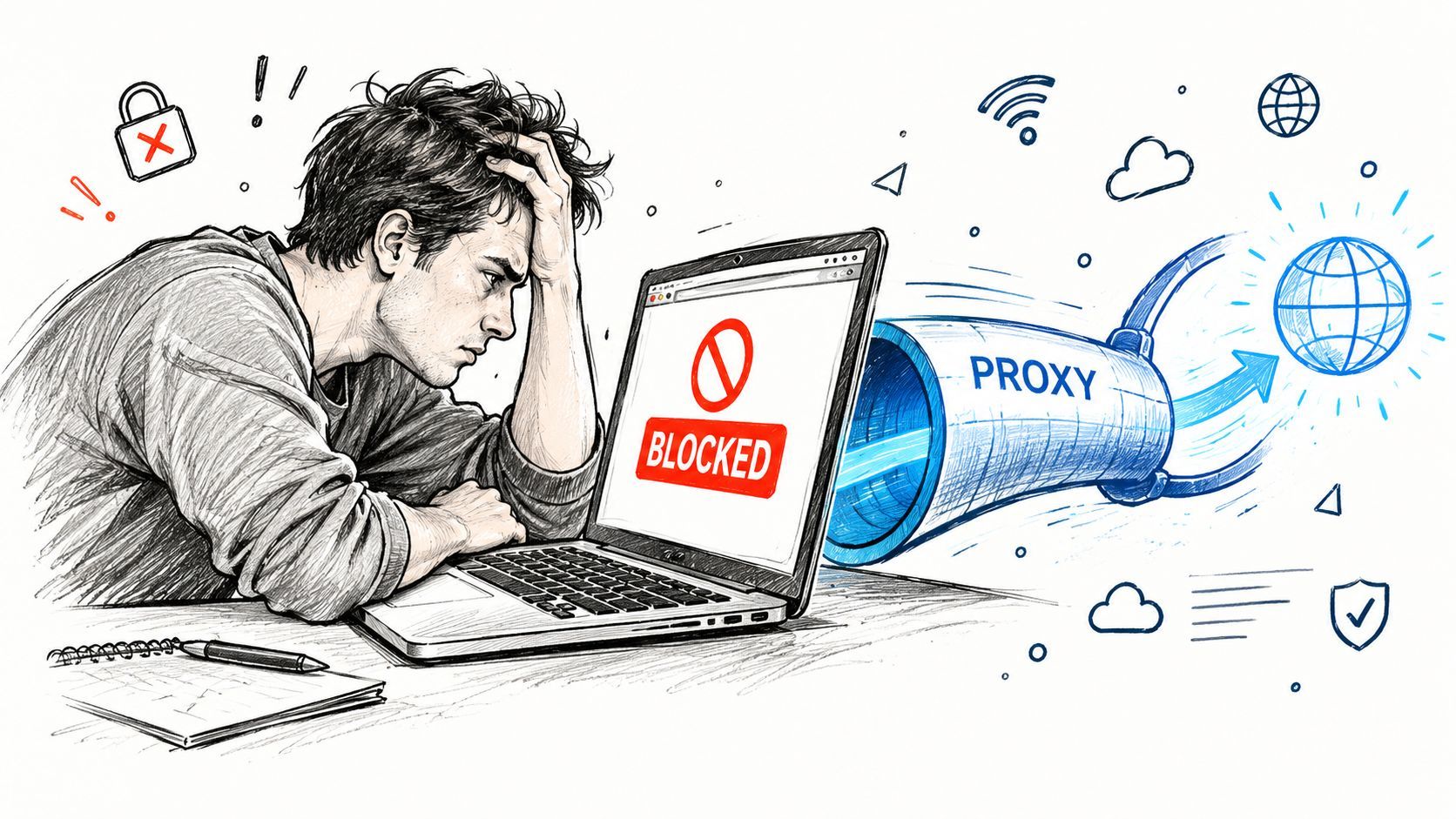
You've opened a website, received a “content unavailable in your region” message, or watched an automated request fail because the site distrusts its traffic source. The browser works, your code may be correct, yet the destination still sees a network identity you didn't intend to expose.
A proxy browser can help by placing an intermediary between your browser and the website. But there's an important distinction that many basic explainers miss: a proxy can change the IP address a site sees, while it doesn't automatically change the browser's full digital fingerprint.
The technology now supports much more than casual privacy browsing. One industry estimate placed the global proxy and web scraping services market at $8.2 billion in 2025, with a projection of $15.6 billion by 2030. The same source said AI data collection represented 11% of total proxy traffic, showing how proxy browsing connects privacy, automation, and data workflows. (Industry proxy market overview)
This guide explains what a proxy browser is, how traffic moves through it, how it differs from a VPN and a headless browser, and where fingerprinting changes the decision. It also covers the point at which managing browsers, sessions, proxies, and detection becomes less practical than using a managed server-side API.
Table of Contents
- Introduction Why Proxies and Browsers Are Teaming Up
- What Exactly Is a Proxy Browser
- Proxy Browser vs VPN vs Headless Browser
- Common Use Cases for Proxy Browsers
- Performance Cost and Security Trade-Offs
- When to Use an API Instead of a Proxy Browser
Introduction Why Proxies and Browsers Are Teaming Up
A QA engineer tests a page from another region, but the site returns different content. The browser itself is working. The difference may come from the network identity attached to the request.
A website receives more than the page request entered in a browser. It can see connection details such as the IP address, which may affect access decisions, location-based content, rate limits, and security checks.
A proxy browser changes that route. The browser sends a request to a proxy server, and the proxy contacts the destination before returning the response. It works like a mail-forwarding service: the intermediary accepts the message, uses its own return address, and passes it onward.
The destination generally sees the proxy's IP address instead of the device's direct IP address. In development or automation, a proxy can often be assigned to one browser session, while other sessions use different routes.
Practical rule: Changing an IP address addresses IP visibility. It does not automatically change the browser's identity.
That distinction matters because websites can recognize more than network location. A browser also produces signals such as its user agent, screen characteristics, installed fonts, graphics behavior, and other configuration details. Together, these signals can form a browser fingerprint. A proxy changes the envelope's return address, but it does not automatically make the browser inside the envelope look different.
Proxy browsing therefore serves several practical needs. A privacy-conscious user may want less direct exposure of a network address. A QA team may inspect a site from another location. A data team may need controlled access for legitimate research, subject to the target site's rules.
Enterprise networks have used proxy systems for visibility and control for years. Proxy logs can include requested URLs, user IP addresses, access times, and filtering decisions, as described in Splunk's web proxy overview. A proxy browser is not a separate browser species. It is a familiar browser traffic pattern configured for a particular user, application, or workflow.
Keep two questions separate:
- What IP address does the website see?
- What browser and device signals can it recognize?
Proxy routing addresses the first question. Fingerprint management addresses the second, and handling both consistently becomes harder as sessions and workflows grow. That distinction sets up the choice between managing browser infrastructure directly and using a managed server-side API.
What Exactly Is a Proxy Browser
The simplest answer to “what is proxy browser” is this: it's a web browser configured to send its requests through an intermediary proxy server.
Think of a personal shopper. You tell the shopper what you want, the shopper visits the store, and the store interacts with the shopper rather than directly with you. A proxy performs a similar forwarding role for web traffic. Your browser creates a request, the proxy receives it, the proxy contacts the target website, and the response travels back through the proxy to your browser.
The route looks like this:
- Your browser requests a page or resource.
- The proxy receives the request.
- The proxy connects to the destination.
- The destination responds to the proxy.
- The proxy forwards the response to your browser.
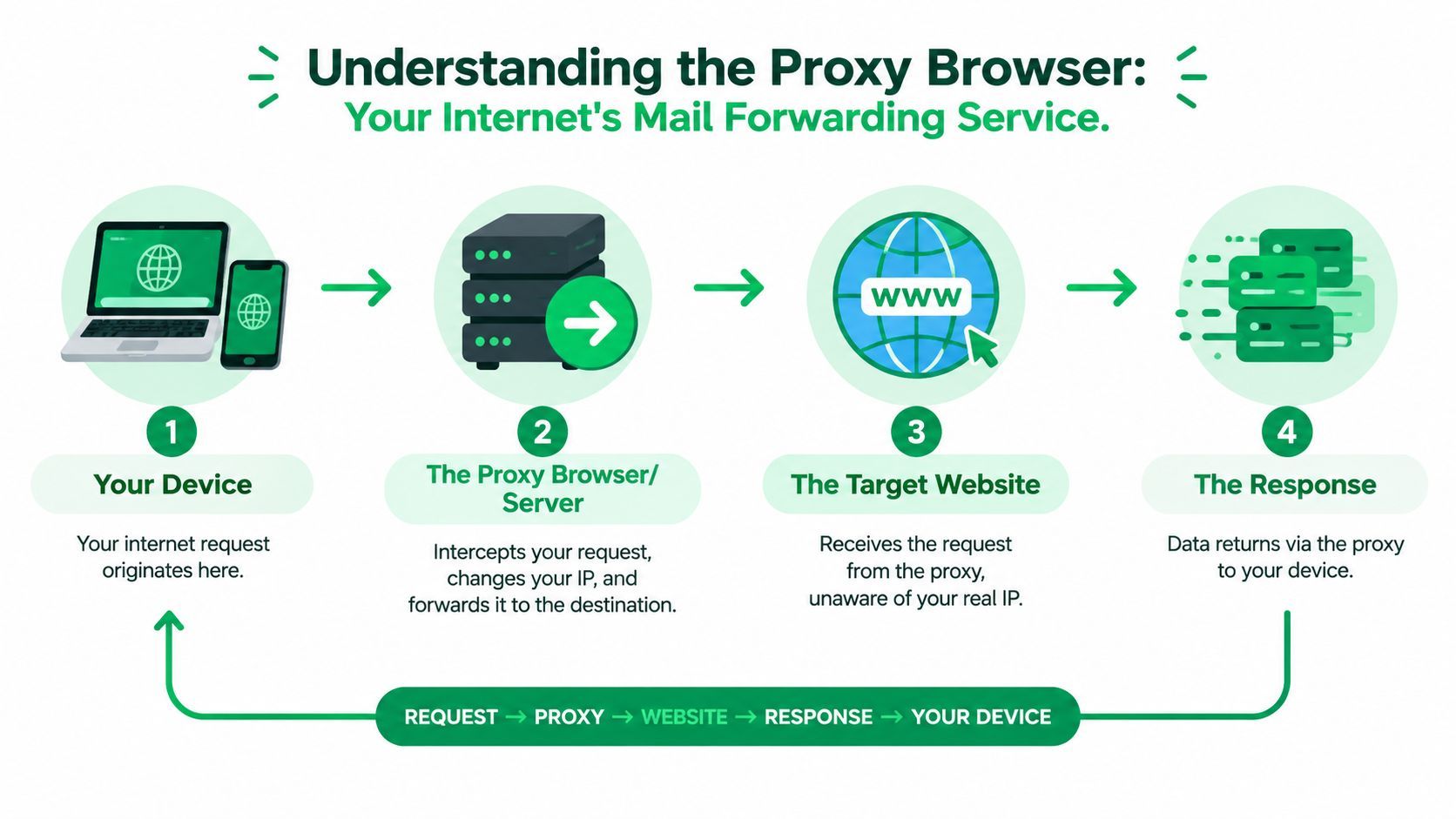
The destination site sees the proxy's egress IP address, not the user's direct IP address. In browser automation, developers commonly apply proxy settings to a browser session or context. That lets separate browser instances use different exit IPs without changing the operating system's global network configuration, as explained in this technical overview of proxy browsers.
Two common ways to use one
The first approach uses a normal browser such as Chrome or Firefox. You configure the browser's network settings to use a proxy, and traffic from that browser follows the selected route. This is useful for manual checks, debugging, and controlled browsing.
The second approach uses a hosted or cloud browser. A provider runs the browser remotely, manages the connection, and routes the session through its proxy infrastructure. You interact with the remote browser through an interface or automation system rather than relying entirely on the settings of your own machine.
These approaches differ operationally, but the core idea remains the same. The browser is still responsible for creating web requests and executing page code. The proxy is responsible for forwarding traffic between that browser and the target.
A proxy browser also isn't identical to a rotating proxy setup. Rotation describes how the network route may change across requests or sessions. If you're comparing those models, this guide to rotating proxies with unlimited bandwidth provides useful context.
The most important limitation is easy to miss. Changing the visible IP address doesn't automatically change the browser's operating characteristics, installed fonts, screen properties, rendering behavior, or other signals that sites may collect.
Proxy Browser vs VPN vs Headless Browser
These three technologies often appear together in automation discussions, but they solve different problems. A proxy browser changes the route used by a browser. A VPN usually creates a device-level or network-level tunnel. A headless browser removes the graphical interface so software can control the browser programmatically.
| Technology | Primary Function | Scope of Traffic | Best For |
|---|---|---|---|
| Proxy browser | Route browser requests through an intermediary | Usually one browser or application | Location testing, controlled browsing, session-specific routing |
| VPN | Route and typically encrypt broader device traffic through a VPN service | Often the device or configured network | General network privacy and remote network access |
| Headless browser | Run browser automation without a visible window | Traffic depends on its network configuration | Automated testing, rendering, and scripted workflows |
A proxy browser and VPN can both affect the IP address visible to a website. The scope is the practical difference. A browser proxy generally applies to that browser or session, while a VPN commonly affects traffic from multiple applications on the device, depending on its configuration.
Encryption also needs careful wording. A VPN is designed to create an encrypted tunnel between the device and the VPN service. A proxy is primarily a forwarding mechanism, and the security of the connection depends on the proxy type, the transport used, and whether the destination connection uses HTTPS. Neither label alone tells you whether every part of a workflow is private or secure.
A headless browser answers a different question
Headless mode answers, “Does the browser need a visible window?” It doesn't answer, “Which IP address does the website see?” A Playwright, Puppeteer, or Selenium browser can run with a graphical interface or without one, and either version can be configured to use a proxy.
That means the technologies can be combined. A developer might run a headless Chromium session through a proxy to test localized pages. The proxy controls the network route. The headless browser controls how the browser runs. Neither one, by itself, guarantees that the session looks like an ordinary user session.
IP masking is not fingerprint masking
A browser fingerprint is the collection of browser and device characteristics that can help a website distinguish one client from another. Depending on the implementation, these characteristics can include rendering behavior, screen information, browser capabilities, and other detectable properties.
A proxy changes the IP signal, but it doesn't automatically change that broader fingerprint. Sites can use fingerprinting as an anti-abuse signal even when the network address appears to come from somewhere else, as discussed in this explanation of proxy browsers and browser fingerprints.
The right mental model: A proxy changes where a request appears to come from. Fingerprint management changes how the client appears to behave.
That distinction prevents a common mistake. If a workflow needs only location-aware testing, a proxy may be enough. If it needs many isolated browser identities, consistent session behavior, and reliable automation, the proxy is only one part of the system.
Common Use Cases for Proxy Browsers
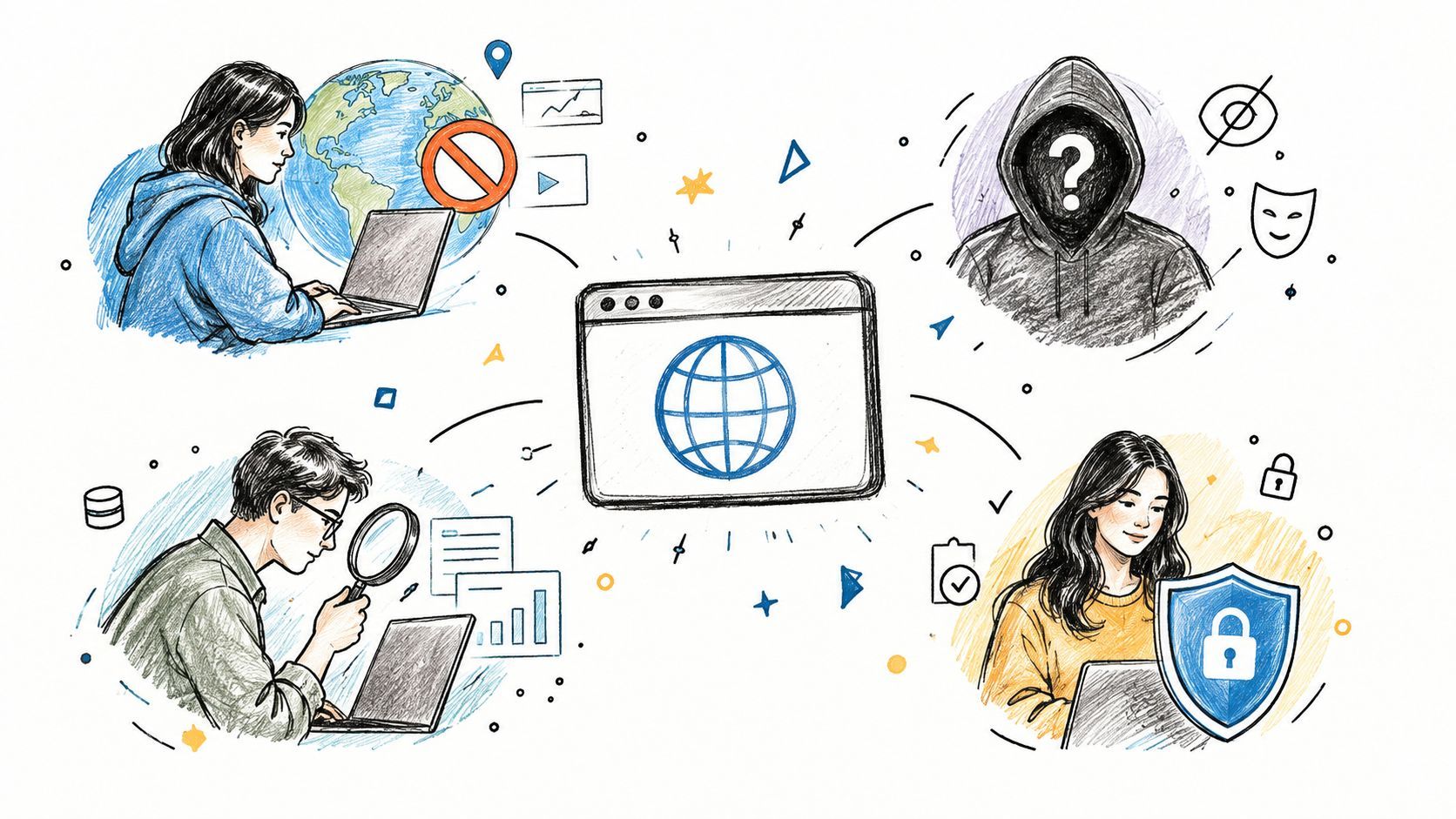
A regional product page may look correct from your office but show different availability to a customer elsewhere. A proxy browser helps investigate that difference by routing browser traffic through a chosen network location. Its main value is controlling the apparent origin of requests, not providing complete anonymity.
Privacy-conscious browsing
A proxy browser can prevent a destination from seeing the user's direct network IP. That reduces direct exposure and separates the website from the user's ordinary connection.
The user is still identifiable through account logins, cookies, browser characteristics, and activity patterns. A proxy changes the network address, while fingerprint controls address the broader set of browser and device signals. Treat the proxy as one privacy measure, not a complete anonymity product.
Market research and data collection
Research teams can inspect public pages from different locations, compare localized results, or collect information under a controlled request policy. A proxy browser supplies the location-specific route while retaining a full browser environment for pages that depend on JavaScript.
The work becomes harder when sessions must be repeatable, requests need careful pacing, failures require handling, and site policies must be followed. For a Google-focused workflow, this guide to proxies for Google provides a narrower reference than a general proxy overview.
Proxy infrastructure also supports large data workflows. Earlier market context estimated that web scraping represented 34% of proxy use cases, while AI-related collection reached 11% of total proxy traffic. Those figures describe proxy activity broadly, not a guarantee that a browser-based project is appropriate or permitted.
Regional content and localization checks
Websites can vary content according to a visitor's apparent location. Product availability, language, pricing displays, media catalogs, and search results may all change by region.
A proxy browser lets testers inspect these variations without changing physical networks. It helps verify localization rules, but it does not grant permission to bypass access controls or violate a service's terms.
The browser environment remains important. A basic HTTP client may not reproduce behavior from a real browser when pages rely on scripts, cookies, or client-side rendering.
This short visual overview shows how proxy browsing fits into broader online access workflows:
QA, advertising, and SEO verification
QA engineers can test whether pages load correctly for visitors in different locations. Advertising operations teams can verify that campaigns appear in intended regions. SEO teams can compare localized search results and check redirects, structured content, and regional page variants.
Proxy logs can support oversight by recording URLs, user IPs, access times, and filtering decisions. That makes the system useful for visibility as well as routing. Browser traffic operates at enormous scale, and Cloudflare Radar reports browser usage across countries and operating systems.
A controlled workflow starts with a precise test question. Choose an appropriate route, preserve evidence of the result, and follow the target platform's access rules. If the project also needs many consistent browser identities, remember that IP masking alone does not mask a full browser fingerprint. A managed, server-side API can handle those controls more consistently when the workflow must operate at scale.
Performance Cost and Security Trade-Offs
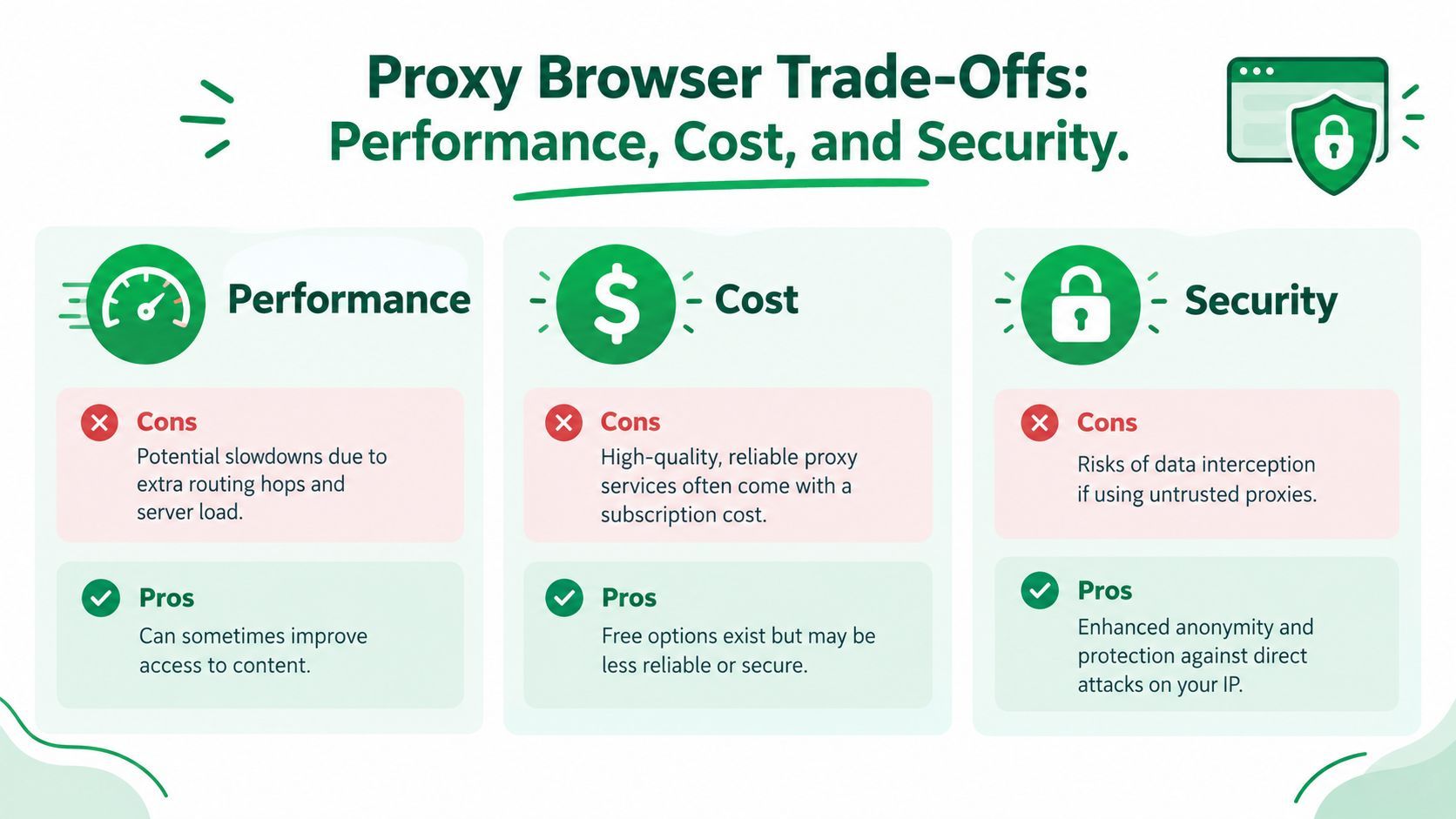
A proxy browser adds a network component, so it adds operational choices. The request has to travel through an intermediary, that intermediary has to process it, and the response has to return through the same general path.
That can introduce latency. The effect depends on the proxy's location, capacity, routing quality, and the distance between the proxy and the destination. A nearby, well-managed proxy may feel responsive, while an overloaded or poorly routed service can make pages noticeably slower.
Performance and content transformation
Some specialized proxy browsers do more than forward traffic. They may compress images, apply HTTP compression, or transform content before sending it to the client. This can reduce transferred data, but the transformation layer may affect page fidelity or compatibility and adds another processing step, as described in Wikimedia's proxy browser performance guidance.
For ordinary browsing, that trade-off might be acceptable. For visual regression testing, media inspection, or browser automation, altered content can produce misleading results.
Cost and reliability
Free proxies may look attractive, but they often provide less predictable availability, speed, support, and ownership transparency. A business workflow needs more than a working address at one moment. It needs stable sessions, clear usage limits, monitoring, and a provider that explains how traffic is handled.
Paid services still require evaluation. Check the provider's policies, authentication model, geographic coverage, logging practices, and failure behavior before connecting sensitive workflows.
Security and responsible use
A proxy operator may be able to observe or influence traffic that passes through its infrastructure. Use HTTPS wherever possible, avoid sending sensitive credentials through untrusted services, and treat an unknown proxy as a third-party network component.
Proxy use also has legal and ethical boundaries. Scraping, automated access, regional testing, and access-control circumvention can be treated differently depending on the website, contract, jurisdiction, and purpose. Read the target service's terms, follow applicable law, and keep request volume proportionate to the task.
Security checkpoint: If you wouldn't trust an unknown network with the same data, don't trust an unknown proxy with it either.
When to Use an API Instead of a Proxy Browser
A proxy browser is a good fit for exploratory work, manual checks, and small controlled tasks. You can open a session, inspect the result, change the route, and see what a visitor in another context might receive.
Production systems create a different set of requirements. They need repeatable execution, structured outputs, retries, error classification, monitoring, and maintenance when the destination changes. A browser-based workflow can require proxy selection, session storage, cookies, browser updates, fingerprint decisions, parsing logic, and detection handling. Each part becomes another failure point for the engineering team to operate.
The browser is often more machinery than the product needs
Suppose your application needs media metadata or downloadable content from a supported platform. Building that feature around a browser means your team must maintain page interaction logic and respond when selectors, flows, cookies, or anti-automation behavior change.
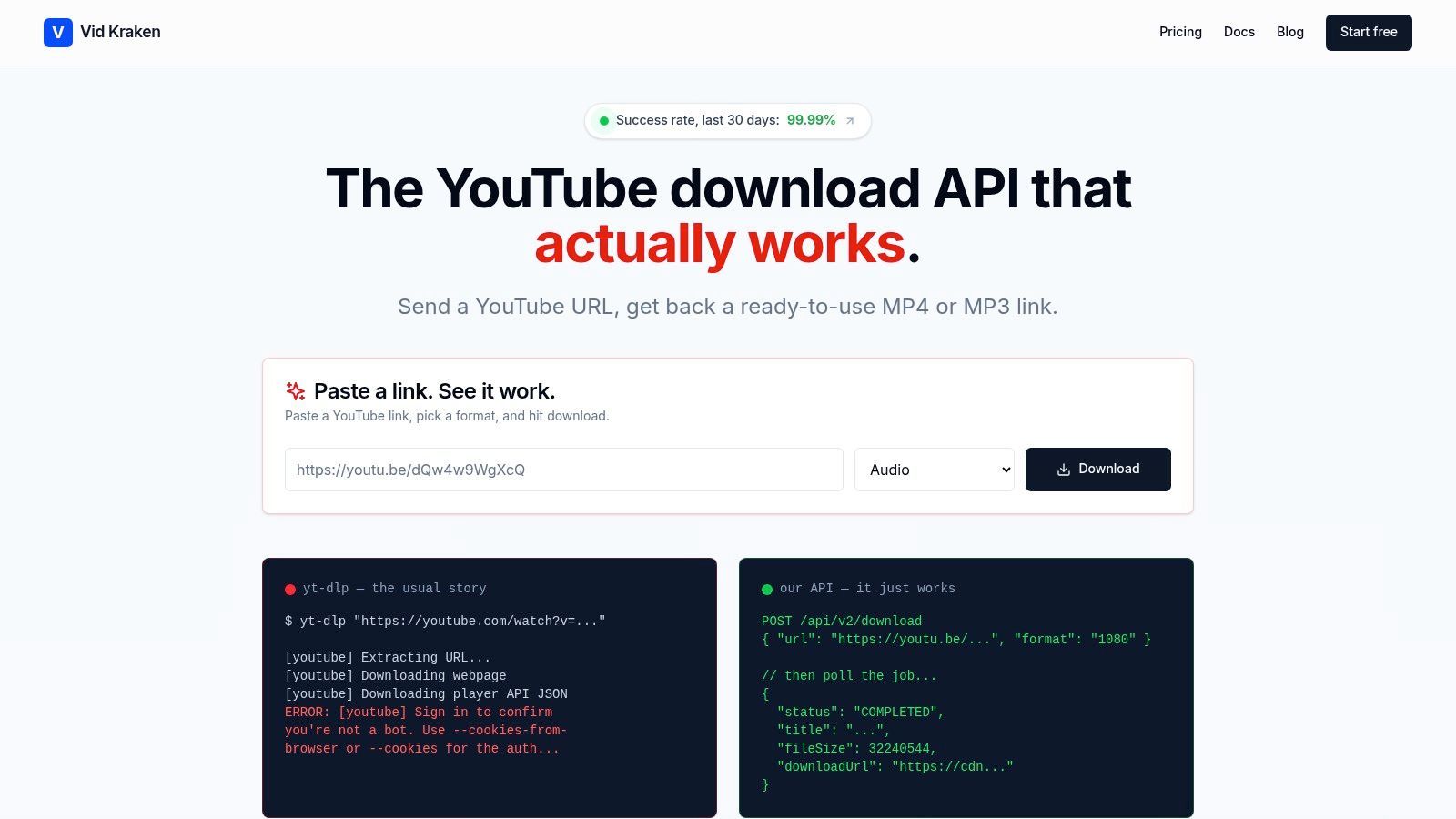
A managed server-side API moves those concerns behind a service boundary. Your application sends a structured request and receives a structured response, while the provider manages the browser and network details internally. This is the same reason teams choose a specialized web scraping service instead of maintaining every crawler component themselves.
An API is especially compelling when you need:
- Stable integration: Your application works with documented inputs and outputs instead of depending on page layout.
- Operational handling: Retries, queues, and failure states can live in the service layer rather than inside every client.
- Structured results: Metadata, status, and error types are easier to store and process than browser page content.
- Scale without browser orchestration: Your team avoids managing many browser sessions, proxy assignments, and local profile states.
That doesn't make APIs the right answer for every task. If you're testing a visual page, debugging a user flow, or checking localized rendering, you need a browser. If you're building a repeatable production pipeline around a defined capability, a managed API usually gives your engineers a smaller and more maintainable surface area.
The decision comes down to control versus operational burden. Use a proxy browser when you need to observe the web as a browser. Choose an API when you need a dependable capability delivered through a stable interface.
YouTube Download API provides a production-ready REST service for retrieving YouTube video and audio, with asynchronous jobs, direct CDN download URLs, metadata, format selection, trimming, and machine-readable errors. If you'd rather avoid maintaining browser sessions, cookies, proxy rotation, and extractor updates yourself, visit YouTube Download API to explore the service.