Proxies for Google: Smart Alternatives in 2026
Learn when proxies for Google make sense, compare residential vs datacenter options, understand detection risks, and discover managed API alternatives.
Dalvo · August 3, 2026
The first sign usually isn't a big outage. It's a boring queue of 403s, a few CAPTCHAs, and a YouTube import job that was fine yesterday but starts failing as soon as traffic climbs. A rank tracker does the same thing in a different costume, the requests look normal in code review, then the proxy bill, the retry logic, and the debugging time start eating the week.
Table of Contents
- Why Engineering Teams Reach for Proxies with Google
- Comparing Residential, Datacenter, and ISP Proxy Types
- Understanding Google Detection and Rate Limiting
- Implementation Patterns and Rotation Strategies
- When Proxies Become the Wrong Solution
- Legal and Ethical Considerations for Proxy Use
- The Managed API Alternative for YouTube Workflows
Why Engineering Teams Reach for Proxies with Google
A typical path starts with a small feature that seems harmless. A team ships a YouTube import flow or a SERP tracker, tests it from a single office connection, and everything works. Then the workflow scales, Google starts pushing back, and the logs fill with blocks, redirects, and responses that never reach the parser.
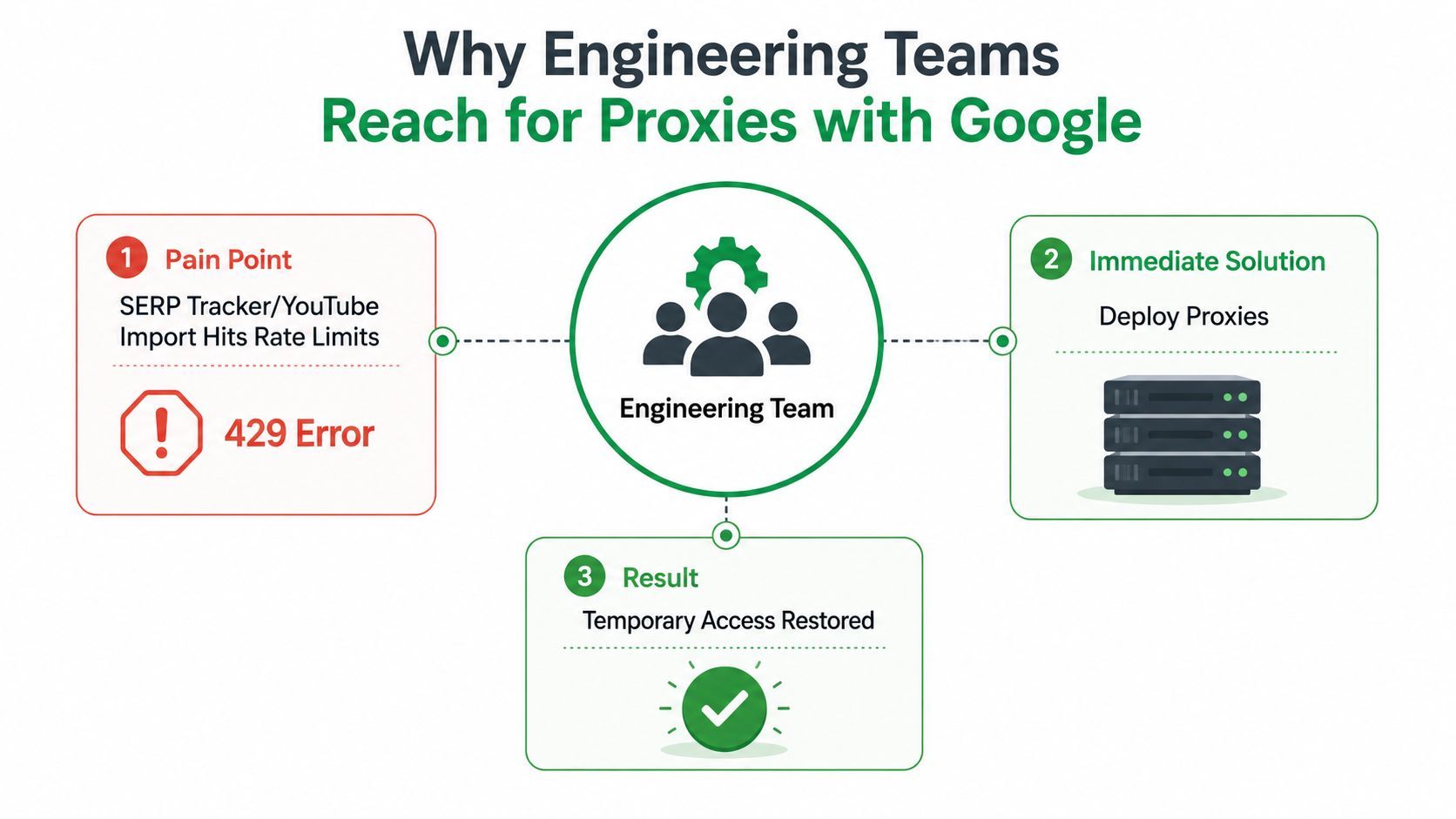
The reason proxies entered this space in the first place is old and practical. A proxy sits between the client and Google, masking the original IP or destination, while a reverse proxy can also hide the true source and destination of traffic. In Google Analytics proxying, the browser sends requests to an intermediary instead of directly to Google, so the network tab shows the proxy URL rather than google-analytics.com, which is exactly the sort of indirection engineering teams reach for when they need requests to survive blockers and edge controls. The same model later expanded from analytics into SERP collection, ad verification, and media workflows, because the problem stayed the same, controlled access to a Google-facing endpoint at scale. That older pattern is described clearly in the historical writeup on Google Analytics proxying, and the operational mindset shows up in production tooling like VidKraken's web scraping service.
The original promise was reliability, not magic
The early appeal of proxies wasn't that they made Google stop defending its systems. It was that they gave teams a way to route requests through a controllable intermediary, reduce browser-side exposure, and decide when the analytics library or crawler loads. That matters when a site owner wants better reliability and less performance impact, not just a different IP address.
Practical rule: if the failure mode is request delivery, identity, or routing, proxying can help. If the failure mode is bad parsing, stale selectors, or broken assumptions about the page, proxies just hide the real problem.
That distinction is why the category broadened so quickly. Once a team understands proxies as a transport and identity layer, it becomes natural to apply them to search result collection, ad checks, and any pipeline that needs repeatable access to Google-owned surfaces. The phrase proxies for Google now covers all of that, not just one narrow analytics trick.
Comparing Residential, Datacenter, and ISP Proxy Types
The most expensive mistakes usually happen before the first request goes out. Teams pick a proxy type because it sounds reputable, then discover that the workload, the target market, and the request pattern all pull in different directions. A proxy can be fast, believable, cheap, or stable. It rarely gives you all four at once.
Residential proxies are believable, but they're not cheap
Residential proxies look like traffic from real consumer devices. That makes them the closest fit for sustained localized work, especially when you need the request to resemble normal user activity. In Google workflows, that usually means rank tracking, ad visibility checks, or market-specific SERP collection where reputation matters more than raw throughput.
The trade-off is obvious in day-to-day operations. Residential pools are easier to justify to Google's defenses, but they're also harder to keep clean, harder to predict, and usually more expensive than datacenter options. That's why they become the default choice for teams that care more about passing than blasting through volume.
Datacenter and ISP proxies solve different problems
Datacenter proxies are fast and easy to scale because they come from cloud and hosting providers. They work well when the task is lightweight, the target is forgiving, or the workflow only needs short-lived requests. Google-related jobs are rarely that forgiving for long, which is why datacenter pools often become the first thing teams test and the first thing they abandon when blocks rise.
ISP proxies sit in the middle. They aim to combine datacenter-like speed with residential-like legitimacy, which makes them attractive for teams that need a steadier middle ground. In practice, they're often the least awkward option when you need more trust than a cloud IP but don't want the full operational burden of a large residential pool.
| Proxy Type | Cost per GB | Detection Risk | Speed | Best Use Case |
|---|---|---|---|---|
| Residential | Higher | Lower | Moderate | Localized SERP tracking, ad verification, sustained consumer-like requests |
| Datacenter | Lower | Higher | High | Light-volume checks, fast validation, internal testing |
| ISP | Middle | Moderate | High | Mixed workloads that need speed and better legitimacy |
The analogy that usually helps is simple. Residential proxies are like borrowing a neighbor's identity, datacenter proxies are like wearing a company badge, and ISP proxies are like showing up in a legitimate work-from-home setup. The right answer depends on whether the workflow needs trust, throughput, or budget control most.
Understanding Google Detection and Rate Limiting
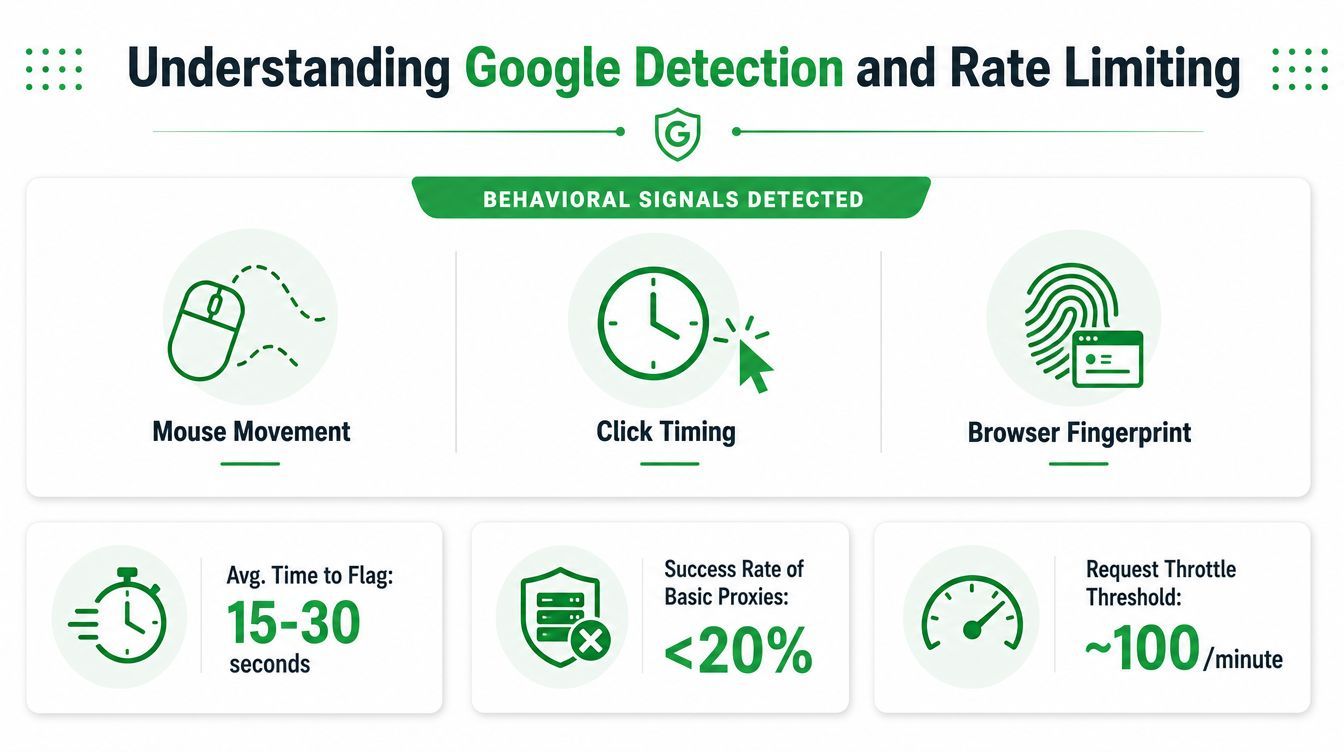
Google does not need to block every request to make a proxy pool expensive. It only needs to make the bad requests noisy enough that your retry logic, queue depth, and support tickets start rising together. That's why naive rotation fails. The system is reading patterns, not just IPs.
The block usually starts before the block
Anti-bot systems watch behavior, request shape, and reputation. They don't just look at whether the traffic came from a proxy, they look at whether the session behaves like a human session. That's why CAPTCHA pages, soft throttles, and outright 403 responses all show up in the same pipeline, sometimes minutes apart.
Some practitioner guides claim Google may allow only about 100 searches per IP per day SOAX proxy guidance, which is why rotation and pacing keep showing up in operational playbooks. The exact threshold can vary, but the engineering point is stable, one IP, one pattern, one day, and you'll eventually hit a ceiling if the workflow is aggressive enough.
Request identity is broader than the IP
Many proxy setups fail quietly. Proxy use is not just about changing the source address, it's about controlling request identity and routing so outbound Google traffic reaches the right place in the right shape. Google client libraries and Google Cloud tooling expose explicit proxy configuration through standard http.proxyHost and https.proxyHost settings, which is a clue that the client layer, not the service layer, usually carries the burden.
Google's own documentation also shows that some Google services depend on hostnames such as www.googleapis.com, dl.google.com, and clients2.google.com, which means allowlisting and routing rules often need to be hostname-specific to avoid breaking updates, telemetry, or API calls Google proxy setup documentation. In practice, if your proxy stack can't distinguish between search traffic, update checks, and API calls, it'll create outages while trying to prevent them.
A proxy pool that looks healthy in dashboards can still be broken in production if the request pacing is wrong or the hostname rules are too broad.
The practical lesson is simple. You're not managing “IPs for Google.” You're managing request identity, routing, and pacing, and those three controls have to work together.
Implementation Patterns and Rotation Strategies
Teams that keep their own proxy infrastructure usually start with rotation, then discover that rotation is only one piece of the system. The harder part is deciding when to rotate, what to rotate, and how to keep the request looking coherent after the rotation happens.
Match the proxy protocol to the client
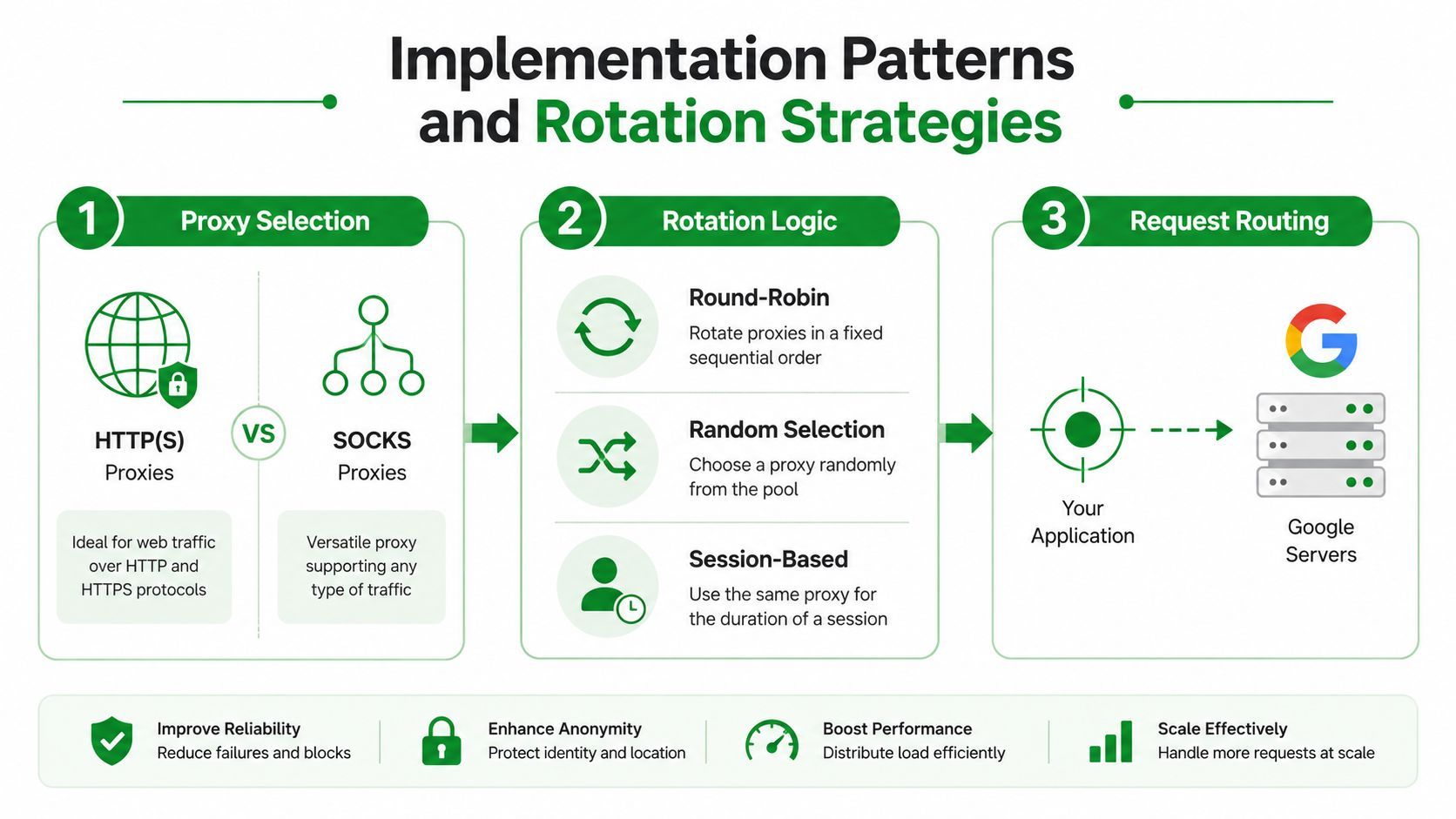
For Google-related automation, the technical distinction that matters most is HTTP(S) proxies versus SOCKS proxies. HTTP(S) proxies are protocol-aware and are commonly used for web requests, while SOCKS proxies operate lower in the stack and can forward broader TCP traffic patterns. That difference matters when you're wiring proxies into browser automation, Google client libraries, or cloud tooling.
Authenticated and custom proxy settings are usually implemented at the client layer, not magically by Google or the proxy itself. If the library doesn't expose that setting cleanly, the maintenance cost rises immediately because the workaround lives in application code instead of config.
Rotate for reputation, not just for variety
Round-robin rotation is easy to reason about, but it's not always the right default. Random selection can help distribute bursts, while sticky sessions reduce churn when a workflow needs a coherent identity across multiple requests. Teams often use one pattern for initial discovery and another for long-running jobs, because Google's defenses react badly to unnatural traffic swings.
A useful heuristic is to keep the session stable long enough to finish a coherent task, then rotate before reputation decays. That sounds obvious until your queue is busy and the same proxy gets reused across too many markets, too quickly.
Localization is not the same as geography
Many proxy guides talk about geotargeting, but they under-explain the difference between the proxy's country and the SERP's localization settings. Query parameters like gl, hl, near, and uule can shape what Google returns, so an IP in the right country can still produce the wrong market view if the request is built poorly. That matters most in multi-market SEO and ad-verification workflows, where network location and search localization need to line up.
Proxy infrastructure often becomes a project in its own right. Rotation, pacing, session reuse, localization logic, and client configuration all need maintenance, and every bug in one layer leaks into the others.
See the practical delivery and scaling discussion in VidKraken's rotating proxies guide, because the traffic-management side of the problem tends to be where teams lose the most time.
When Proxies Become the Wrong Solution
The switch usually happens without fanfare. A team keeps adding proxy capacity, then adds CAPTCHA handling, then patches extractor logic after YouTube changes markup, then spends another sprint chasing a recurring 403 pattern that only happens in one market. The original product feature is still there, but the infrastructure has started acting like a second product.
Google Cloud says it disrupted “the world's largest residential proxy network,” which is a reminder that proxy infrastructure is a moving target, not a permanent workaround Google Cloud threat intelligence post. That doesn't mean proxies never work. It means the cost of staying ahead of enforcement can keep rising after the team thought the system was finished.
The hidden bill is operational, not just financial
The obvious cost is proxy spend. The less obvious cost is everything wrapped around it, proxy pool maintenance, CAPTCHA handling services, extractor updates, debugging sessions, and the support load from failed user imports. Those tasks don't sit in the same Jira column as the core product, but they consume the same engineering hours.
That's the point where many teams ask the wrong question. They ask which proxy provider is best, when the core question is whether a SERP API, a cached pipeline, or a managed media API would be lower risk and cheaper to operate. The buying guide benchmark data shows why that question matters, one April 2025 benchmark reported 94.43% success for Infatica versus 66.77% for IPRoyal residential on Google US queries Google data harvesting proxy benchmark.
Benchmark gaps turn into engineering gaps
A big gap between providers doesn't just affect success rates, it affects retry behavior, queue depth, and how much time the team spends investigating false alarms. If one provider is significantly less stable than another in the same market, the infrastructure around it has to absorb that instability. That means more fallback logic, more pacing logic, and more monitoring.
If your team is spending more time keeping access alive than using the data, the proxy stack has crossed the line from tool to tax.
That's where managed alternatives start to make sense. Not because proxies are bad in principle, but because the maintenance surface becomes larger than the feature itself.
Legal and Ethical Considerations for Proxy Use
The compliance issue isn't abstract. When a team uses proxies to collect Google-facing data, it's making decisions about who owns the traffic path, what data is being collected, and whether the routing choice creates privacy or sourcing problems. Those questions get sharper with residential networks, because consumer devices may be involved without the original user understanding the downstream use.
Google's Terms of Service can restrict automated access, and scraping public data still sits in a legal gray area in many organizations. That's why enterprise legal teams often care less about the technical cleverness of the proxy pool and more about the provenance of the IPs, the purpose of the collection, and whether the workflow can be defended in an audit.
Residential proxy sourcing also raises GDPR and privacy concerns when traffic is routed through consumer devices. Some enterprises ban residential proxies entirely for that reason, not because they hate automation, but because they don't want a vendor's sourcing model to become their reputational problem. The cheapest option can end up carrying the most expensive audit trail.
A practical policy is to document the data purpose, the collection method, the retention period, and the provider's sourcing model before the first large deployment. If that sounds bureaucratic, it is. It's still cheaper than explaining to legal why a “temporary workaround” became a permanent dependency.
The Managed API Alternative for YouTube Workflows
For YouTube workflows, the cleaner answer is often to stop managing proxy behavior at all. A managed API can take over the parts that usually break first, bot detection, proxy rotation, cookie handling, extractor maintenance, and the retry logic that turns routine failures into support tickets. That shifts the problem from infrastructure management to request design.
What the managed model removes
A production API for YouTube media usually gives teams direct CDN download links, async job flow, instant metadata, and machine-readable failure states. That matters because the client can stop guessing whether a failure was caused by an age restriction, a geo restriction, a private video, or something else entirely. It also removes the need for browser sessions and the constant maintenance of proxy rotation just to keep imports alive.
The reliability story matters too. The service reports 99.91% reliability over the last 30 days and adoption by 70+ SaaS teams publisher-reported reliability and adoption, with reported success on downloads that fail in yt-dlp and common RapidAPI or Apify-based services. Those numbers don't guarantee your use case will be identical, but they do show a pattern, teams are replacing brittle, proxy-heavy pipelines with a managed layer that can absorb platform changes for them.
What changes in the architecture
The difference is more than convenience. A managed API lets product teams build against a stable interface while the provider handles the unpleasant parts of YouTube access under the hood. That means fewer retries in application code, fewer edge cases in queue workers, and less time spent chasing selector drift or blocked sessions.
If you're wiring this into a larger ingestion pipeline, the integration pattern is straightforward enough that it's usually the boring part. The engineering work moves from “keep access alive” to “shape the workflow correctly,” which is where it belongs. A concrete example of that style of integration is shown in VidKraken's API integration example.
If your team is still patching proxy rotation, CAPTCHA handling, and extractor failures together just to keep Google or YouTube workflows alive, it's time to compare that stack against a managed path. YouTube Download API gives you a way to stop maintaining proxy infrastructure and focus on the product that uses the data.