Instagram Video Transcript: A Developer's Complete Guide
Learn how to build an instagram video transcript pipeline that actually works. Covers scraping, ASR, captions, and quality control.
Dalvo · August 31, 2026
You've got a pile of Reels, a product team asking for searchable quotes, and a support ticket from someone who can't read the on-screen captions. At that point, an Instagram video transcript stops being a nice accessibility add-on and becomes a pipeline problem. The hard part isn't “getting text.” It's pulling reliable media, conditioning messy audio, choosing an ASR path that won't fall apart on vertical video, and turning the output into formats your systems can use.
Table of Contents
- What an Instagram Video Transcript Pipeline Needs
- Getting the Video in the First Place
- Extracting and Prepping the Audio Track
- Choosing an ASR Service That Fits Instagram Audio
- Turning ASR Output into Usable Transcript Formats
- Handling Languages, Accents, and Real-World Failure Modes
- Deployment, Permissions, and the Stuff That Bites You in Prod
What an Instagram Video Transcript Pipeline Needs
A production Instagram video transcript pipeline has to do more than mirror what the app displays. A Reel with burned-in captions, a downloaded clip with no text track, and an exported subtitle file in SRT or VTT are three different things. Instagram gives you presentation text in the interface, but it does not give you a reusable caption file you can hand to search, QA, or downstream editing tools. The American Foundation for the Blind's guidance on Instagram accessibility is a useful reminder that the native caption controls help viewers, while the pipeline has to produce durable transcript data.
The four stages that matter
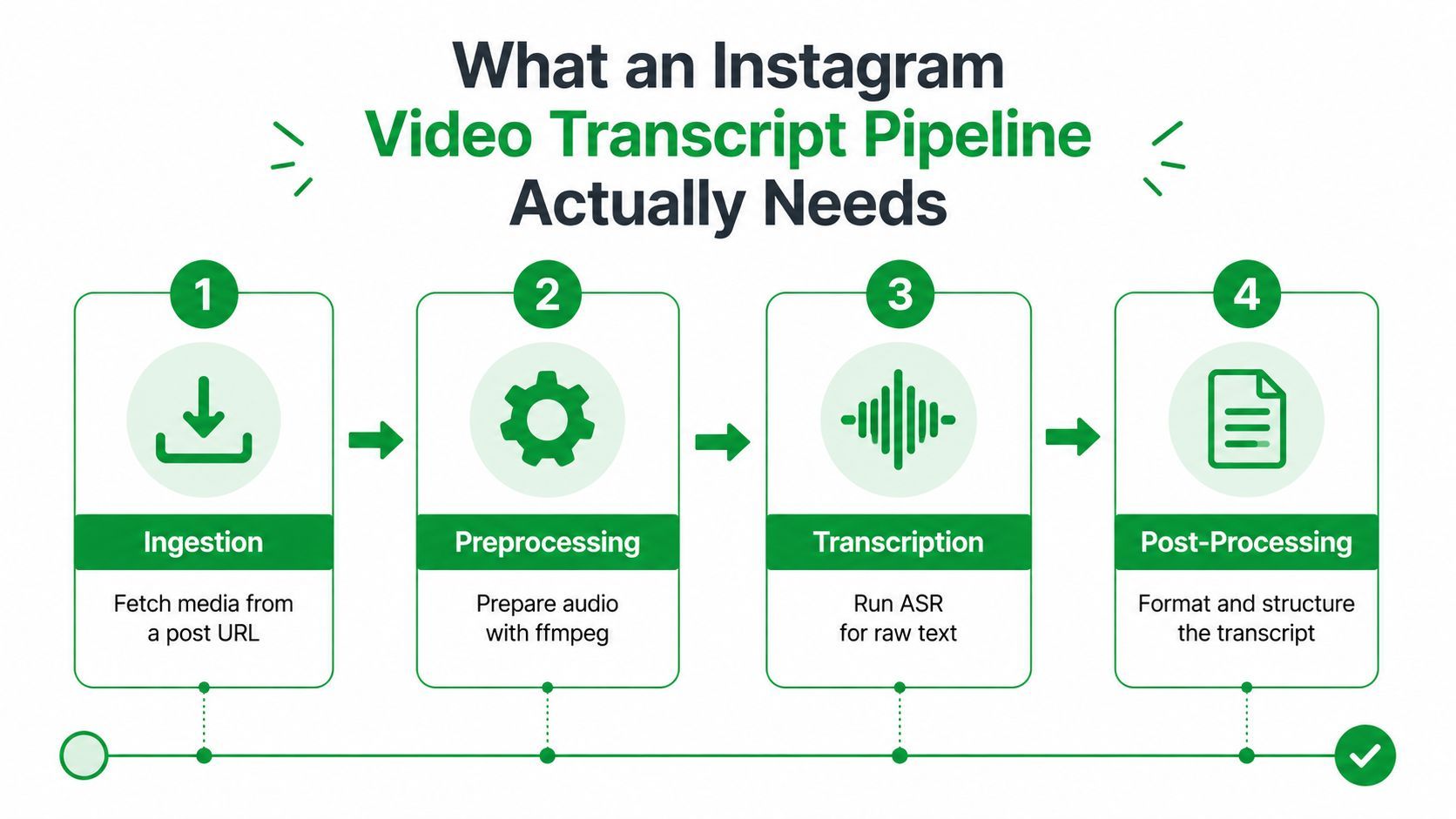
A working system has four stages. Ingestion turns a post URL or shortcode into downloadable media. Preprocessing cleans the audio, isolates speech, and removes material that confuses ASR. Transcription runs speech recognition on the conditioned track. Post-processing adds timestamps, preserves speaker hints when they exist, and stores the result in a queryable format.
A real failure case makes the gap clear. If your input is only Instagram's on-screen captions, you can copy text by hand, but you cannot reliably produce a subtitle file with timestamps for a CMS, a search index, or an editing tool. A pipeline that ends at plain text has the same problem in a different form, because it strips out timing and structure that production systems need.
Practical rule: if a pipeline skips any one of those stages, the failure usually shows up later as bad search, broken captions, or transcripts that cannot be reused.
The first failure mode is retrieval. Instagram URLs can expire, redirect, or return HTML where media was expected. The second is audio quality. Reels often mix speech with music beds, on-screen text, and handheld noise, so a raw decode is rarely the best input for ASR. The third is output shape. Keep only plain text, and you lose timestamps and structure.
A good pipeline treats transcript generation like data engineering. The output has to survive editing, indexing, repurposing, and model ingestion. If it cannot do that, it is not a transcript system, it is a caption viewer with extra steps.
Getting the Video in the First Place
There are two real ways to get bytes into an Instagram video transcript pipeline, and they're not equal in maintenance cost. DIY scraping is the cheapest on paper. A hosted media API is the least painful once volume and reliability start to matter. The right choice depends less on ideology and more on how many Monday mornings you want to spend untangling broken extractors.
DIY scraping versus hosted retrieval
DIY usually means parsing a share URL or shortcode, hitting a public embed or GraphQL-style endpoint, and extracting the .mp4 from the response. It's flexible, and for a small internal tool it can be enough. The catch is that Instagram changes client behavior without notice, rotates tokens, throttles aggressively, and serves region-locked CDN hosts that make “works on my machine” a bad sign.
Hosted media APIs trade request cost for stability. They usually wrap proxy rotation, retry logic, and a more consistent JSON response around the same retrieval problem. That matters when your team cares about predictable ingestion and not about maintaining a pile of brittle scripts. If you're already comfortable with media extraction tooling, the patterns discussed in this yt-dlp workflow guide are a useful reference point for the kind of maintenance burden DIY can create.
| Dimension | DIY scraping | Hosted media API |
|---|---|---|
| Maintenance | High, because client changes and token churn land on your team | Lower, because the vendor absorbs much of the breakage |
| Flexibility | High, especially for custom parsing logic | Moderate, bounded by the vendor's supported shapes |
| Stability | Fragile when Instagram changes behavior | More consistent, especially under repeated loads |
| Cost model | Low direct cost, high engineering time | Per-request or subscription cost |
| Post coverage | Can be uneven across edge cases | Usually cleaner for common post types |
| Best fit | Small experiments or internal prototypes | Production ingestion with recurring volume |
Reels and feed video are the easiest targets for either path. Legacy IGTV content still shows up in old archives and can be awkward. Stories are only practical for accounts you control. Ads Library content is a separate operational question, since the retrieval path and compliance posture aren't the same as public creator posts.
For teams that are moving past a few thousand posts a week, DIY usually stops being worth it the moment Instagram ships a client-side change on a random Tuesday. That's the point where consistency beats cleverness.
Extracting and Prepping the Audio Track
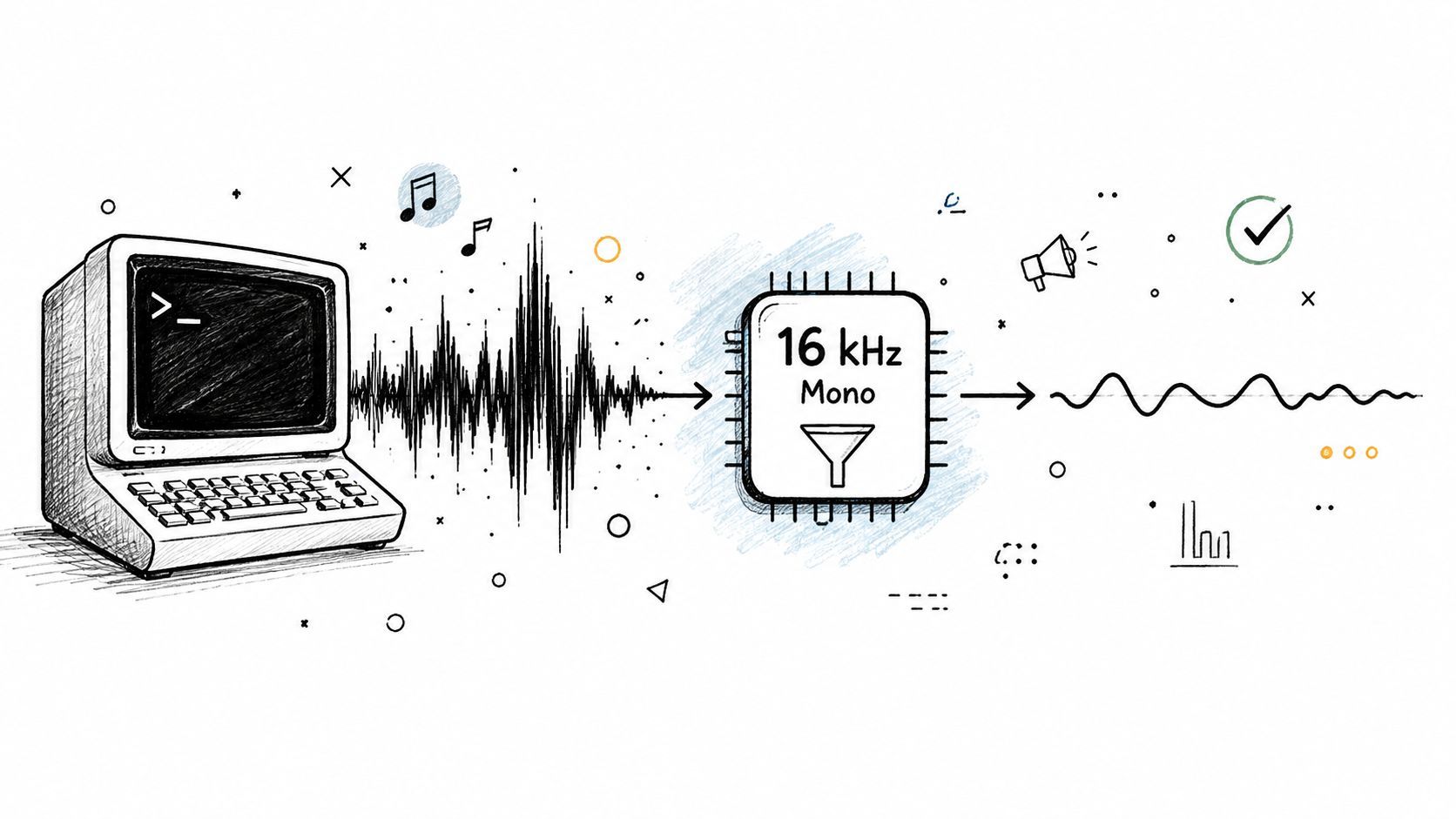
Raw video is a poor transcript input. The audio track is what matters, and even that usually needs a cleanup pass before ASR sees it. The safest baseline is still a simple ffmpeg normalization step, because it gets you to mono, 16 kHz PCM, which most modern speech models handle well.
The default conversion that works most of the time
A practical starting point looks like this:
ffmpeg -i input.mp4 -vn -ac 1 -ar 16000 -c:a pcm_s16le out.wav
That command strips video, folds the audio into a single channel, resamples to 16 kHz, and writes a WAV file that's easy to hand off to ASR. It keeps the payload small and avoids format surprises later. Keep the original media on cold storage, then write the conditioned .wav alongside it so you can reprocess without fetching the source again.
Clean input is cheaper than repeated ASR retries.
When the baseline is wrong
Music-heavy Reels often benefit from a little more prep. A high-pass filter around 80 Hz can reduce low-frequency rumble, and mild loudness normalization with an loudnorm pass helps keep speech energy more consistent before resampling. If the video starts with a long silent intro, trim it with silencedetect and silenceremove so you're not paying to transcribe dead air.
A newer container can also break naive extraction. HEVC and AV1 show up in some newer uploads, and older ffmpeg builds can stumble on them. When the decoder can't even open the file cleanly, the ASR debate is irrelevant because your pipeline never reaches transcription. That's why media tooling needs to be boring and current, not clever and stale.
The practical habit is simple. Preserve the original, preprocess deterministically, and make the conditioning step repeatable. If the audio prep is consistent, every later comparison, model swap, and quality review gets easier.
I've found audio-only extraction workflows most useful when they're treated as a preprocessing primitive, not as the final product. That mindset keeps the transcript pipeline focused on speech quality rather than file-format trivia.
Choosing an ASR Service That Fits Instagram Audio
The easiest mistake is to benchmark ASR on clean podcast audio and assume it'll behave the same way on Reels. Instagram audio is harsher. Speech gets buried under music, creators talk over their own edits, and the speaker may be moving the phone while on-screen text competes with the actual dialogue. That's why provider choice matters, and why a good Instagram video transcript pipeline needs a provider adapter, not a hard-coded vendor call.
What to optimize for
For Instagram workloads, four dimensions matter more than brand names. Noisy-video accuracy is the first one, because Reels aren't call-center recordings. Language coverage matters when creators switch languages or mix accents. Word-level timestamps matter if you need overlays or fine-grained search. Operational fit matters when your team already lives inside a cloud billing boundary or wants a self-hosted path.
| Provider | Best for | WER on noisy Reels | Languages | Word timestamps | Price/min |
|---|---|---|---|---|---|
| Whisper Large-v3 | Multilingual and self-hosted control | Strong, especially when tuned | Broad multilingual support | Available through common wrappers and tooling | Self-hosted cost varies |
| Deepgram Nova-3 | English-heavy social clips | Strong on noisy vertical video | Broad coverage | Strong word timing support | Usually fits low-cost English use cases |
| AssemblyAI Universal-2 | Balanced hosted workflow | Strong on social-style audio | Broad coverage | Strong word timing support | Usually fits low-cost English use cases |
| AWS Transcribe | Teams already inside AWS | Solid for straightforward pipelines | Broad coverage | Word-level timing supported | Cloud-billing dependent |
| Google Cloud Speech-to-Text v3 | GCP-native teams | Solid in managed environments | Broad coverage | Timing support available | Cloud-billing dependent |
| Azure Speech | Microsoft-native stacks | Solid in managed environments | Broad coverage | Timing support available | Cloud-billing dependent |
A decision rule that holds up
If your workload is mostly English Reels and you care about low per-minute cost, Deepgram or AssemblyAI are usually the first tools to test. If you need multilingual coverage or want offline control, self-hosted Whisper still makes sense, and managed wrappers around it can reduce the operational drag. If your company already standardizes on AWS or Google, use the provider that fits your existing IAM and billing model rather than starting a new platform habit for transcription alone.
Hosted providers also change under you. Model versions move, output behavior shifts, and timestamp quality can drift even when the API shape stays the same. Wrap the provider behind an adapter layer so you can swap it in an afternoon instead of rediscovering the contract in production.
Turning ASR Output into Usable Transcript Formats
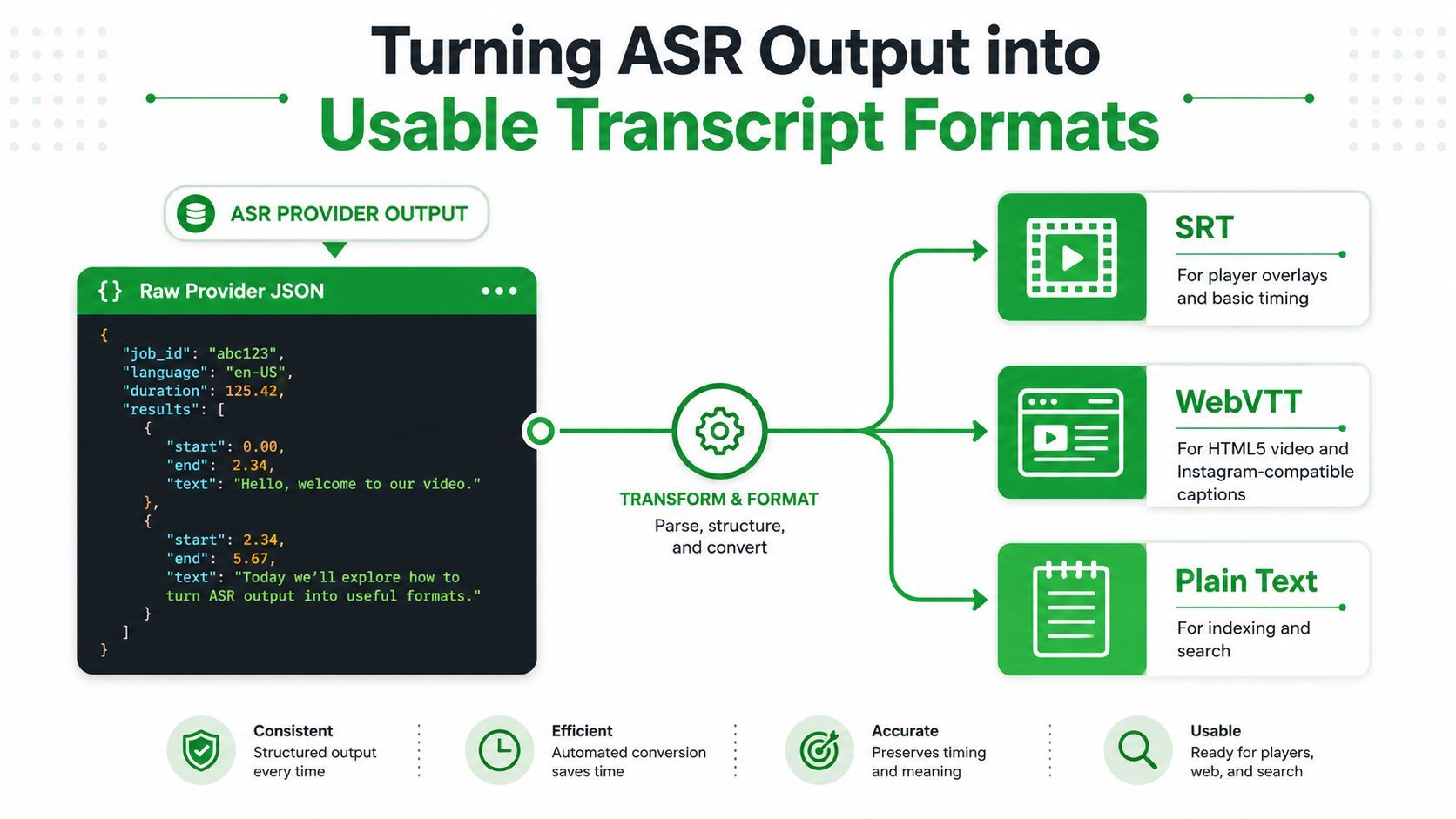
Raw ASR JSON is not a transcript. It's input to a formatting layer that turns speech events into artifacts people can read, search, and repurpose. If you're building an Instagram video transcript system for production, the formatting stage is where the pipeline becomes useful instead of merely complete.
Keep the fields that downstream systems need
Many teams keep only the text string and throw away the rest. That's a mistake. You want speaker labels, word confidence scores, and start and end offsets because those fields let you rebuild captions, audit quality, and feed later analytics. The plain transcript is the easy artifact. The structured data is what keeps the pipeline honest.
Sentence boundaries should come from punctuation and silence, not arbitrary character counts. Arbitrary wrapping makes transcripts hard to read and creates weird splits that look like model errors later. Word timings should be rounded to the nearest 10 ms so player rendering doesn't jitter.
Here's a compact Node example that emits SRT, VTT, and JSON from provider-style word items:
function fmt(t){const h=String(Math.floor(t/3600)).padStart(2,'0');const m=String(Math.floor(t%3600/60)).padStart(2,'0');const s=String(Math.floor(t%60)).padStart(2,'0');const ms=String(Math.round((t%1)*1000)).padStart(3,'0');return `${h}:${m}:${s},${ms}`}
function vtt(t){return fmt(t).replace(',','.')}
function seg(words){return words.reduce((a,w)=>{const last=a[a.length-1];if(!last||w.start-last.end>0.8||/[.!?]$/.test(last.text))a.push({start:w.start,end:w.end,text:w.word});else{last.end=w.end;last.text+=' '+w.word}return a},[])}
function out(words){const s=seg(words);const srt=s.map((x,i)=>`${i+1}\n${fmt(x.start)} --> ${fmt(x.end)}\n${x.text}\n`).join('\n');const v=s.map((x,i)=>`${i+1}\n${vtt(x.start)} --> ${vtt(x.end)}\n${x.text}\n`).join('\n');return {srt,vtt:'WEBVTT\n\n'+v,json:s}}
const words=[{start:0.1,end:0.4,word:'Hello'},{start:0.5,end:1.0,word:'world.'}];
console.log(out(words));
And the same shape in Python:
def fmt(t):
    h, r = divmod(int(t), 3600)
    m, s = divmod(r, 60)
    ms = round((t - int(t)) * 1000)
    return f"{h:02}:{m:02}:{s:02},{ms:03}"
def seg(words):
    out = []
    for w in words:
        if not out or w["start"] - out[-1]["end"] > 0.8 or out[-1]["text"].endswith((".", "!", "?")):
            out.append({"start": w["start"], "end": w["end"], "text": w["word"]})
        else:
            out[-1]["end"] = w["end"]; out[-1]["text"] += " " + w["word"]
    return out
def emit(words):
    s = seg(words)
    srt = "\n\n".join(f"{i+1}\n{fmt(x['start'])} --> {fmt(x['end'])}\n{x['text']}" for i, x in enumerate(s))
    vtt = "WEBVTT\n\n" + "\n\n".join(f"{i+1}\n{fmt(x['start']).replace(',', '.') } --> {fmt(x['end']).replace(',', '.')}\n{x['text']}" for i, x in enumerate(s))
    return {"srt": srt, "vtt": vtt, "json": s}
Validate before you ship
One quick validation catches most formatting bugs. Parse the SRT back, confirm the segment count matches what you emitted, and check that timing is monotonic. That's the kind of boring test that saves you from shipping captions that look fine in a unit test and fail in a player.
Parsing patterns for structured data matter here because transcript formatting is just a constrained parse and re-serialize problem. Once you think of it that way, a lot of the “caption bug” category starts looking like ordinary data hygiene.
Bad punctuation doesn't just hurt readability, it breaks sentence segmentation and makes downstream systems look unreliable.
The reason this stage matters so much is simple. A transcript that's only readable on the page can't be searched cleanly, quoted safely, or fed into downstream models with confidence. A transcript that preserves structure becomes an asset.
Handling Languages, Accents, and Real-World Failure Modes
Instagram clips are hostile input. Creators switch languages mid-sentence, slang collides with product names, and music often sits right on top of the voice. A transcript system that assumes one speaker, one language, and clean speech will look good in demo data and fail on real Reels.
Where the pipeline should split first
Segment-level language detection helps when a clip switches from one language to another inside a single post. If one span is clearly Hindi and the next is English, sending the whole file through a single-language path can hurt quality. Silence-based splitting is also useful when the structure is obvious, because it gives the model smaller chunks and limits the damage from one bad section.
Strong accents are a separate issue. The words are often mostly right, but punctuation can drift and make the sentence boundaries unreliable. In those cases, human review should focus on names, technical terms, and brand-sensitive phrases instead of rewriting everything.
The failure modes worth classifying
| Failure Mode | Symptom | Handling |
|---|---|---|
| Music drowning out vocals | Transcript is missing the spoken line or contains junk | Run VAD, try instrumental suppression, and mark low-confidence segments |
| No speech at all | Empty or nearly empty transcript | Return a clean empty transcript instead of forcing text |
| Dead or 404 URL | Retrieval fails before audio extraction | Retry with backoff, then surface a typed retrieval error |
| HTML login wall | Request returns 200, but the body is not media | Detect the content shape, fail fast, and avoid false success |
| Mixed-language clip | One ASR pass degrades part of the segment | Split by language or silence, then stitch segments back together |
The key is classification. A production system should know the difference between “no speech,” “bad retrieval,” “language mismatch,” and “decoder failure.” Those are different operational problems, and they need different responses.
If the pipeline can't explain why it failed, support ends up debugging it blind.
The best way to scale review is to sample aggressively on low-confidence outputs and bulk-regenerate when the ASR provider changes behavior. That keeps quality control focused where it matters instead of forcing a person to inspect every Reel.
Deployment, Permissions, and the Stuff That Bites You in Prod
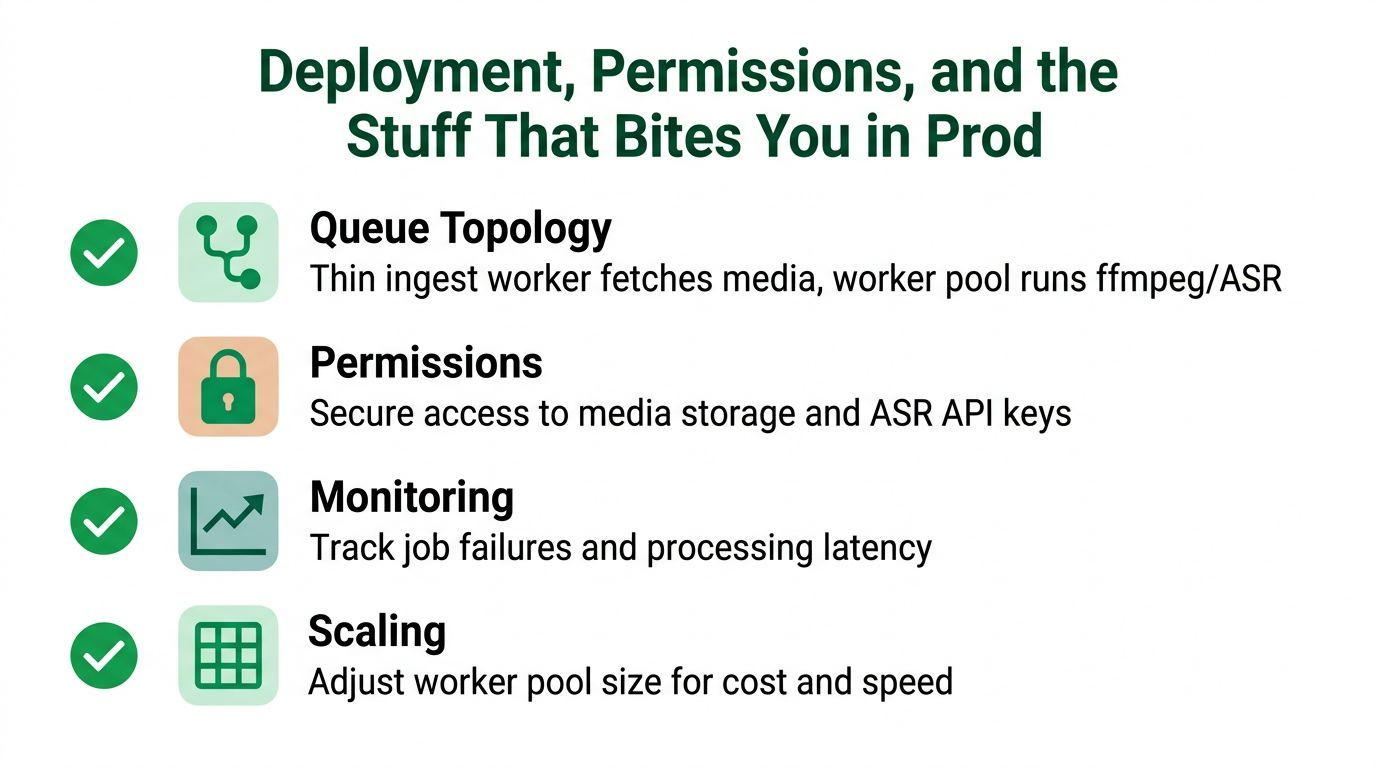
A laptop demo can transcribe a few clips. Production needs queueing, retry behavior, and a permission model that won't surprise legal later. The default shape that works is a thin ingest worker, a worker pool sized to the slower of ffmpeg or ASR, and a dead-letter queue for jobs that can't be recovered automatically.
The queue and retry layer
An idempotent job table keyed on media_id plus attempt count keeps retries cheap and keeps duplicates from poisoning the pipeline. Cap concurrent downloads per IP, respect your ASR provider's rate limits, and track wall-clock cost per minute of audio so finance doesn't discover usage after the invoice lands. If a job fails repeatedly, move it to the dead-letter queue instead of burning cycles forever.
Permissions and compliance
Scraping public content is not the same thing as being allowed to redistribute it. Audio can contain licensed music, creators may not expect bulk processing, and transcript indexes can make private concerns easier to search than the original post ever intended. Capture creator consent where you can, maintain an opt-out list, set a retention window, and keep a lightweight DMCA takedown workflow ready.
GDPR-style data minimization is a good default even for small teams. Store only what you need, keep the original media and the conditioned audio separate, and avoid mixing access control with processing convenience. That cuts down the number of places where sensitive media can leak.
Monitoring that actually helps
The best operational metrics are the ones that answer a support question fast. Track job failures by stage, capture processing latency by provider, and log whether failures are retrieval, decode, ASR, or formatting. That makes it obvious whether the issue is Instagram changing behavior, ffmpeg choking on a container, or the vendor changing output shape.
The systems that last are the ones that treat transcript generation like infrastructure, not a one-off script. They don't just “work,” they fail in ways the team can classify and recover from.
If you need a reliable way to pull video and audio into a transcript workflow, YouTube Download API gives you a production-ready retrieval layer that fits the same ingestion patterns discussed here. Visit it if you want a stable media-fetch step for automation, analysis, or caption pipelines that need dependable inputs before transcription starts.