What Does IP Banned Mean and How to Fix It
Learn what does IP banned mean, why it happens, how to detect it, and the practical steps to get unblocked without breaking service rules.
Dalvo · August 17, 2026
An IP ban is a network-level rejection that blocks traffic from a specific public IP address before application logic runs, so the same ban can affect every device sharing that address. In plain terms, one blocked address can cut off an entire household, office, or mobile carrier NAT pool, even when the account credentials are valid.
Your integration worked yesterday. This morning, every request returns a denial page, the logs show a 403, and someone suggests resetting the password. That reaction is understandable, but an IP ban usually isn't an account problem. It's a control applied somewhere between your network and the service you're trying to reach.
The useful question isn't only, “Why did access fail?” It's also, “Which layer rejected the request?” A block at the TCP/IP layer behaves differently from a web application firewall decision, and both differ from an application-level rate limit. Finding that layer prevents wasted retries and helps you choose a fix that addresses the cause rather than hiding the symptom.
Table of Contents
- What an IP Ban Actually Means
- Where the Block Actually Lives
- Common Causes That Trigger an IP Ban
- How to Detect and Verify an IP Ban
- Practical Steps to Get Unblocked
- Preventing IP Bans in Production Systems
- Legal and Ethical Considerations and Service-Specific Examples
- Common Questions About IP Bans
What an IP Ban Actually Means
When an integration suddenly starts returning 403 responses, begin by separating identity from network origin. An account-level restriction follows a username, token, or session. An IP ban follows the public address from which the request arrives.
An IP ban means the service refuses requests from a specific Internet Protocol address. Britannica describes IP address blocking as configuring a network to reject requests from specified IP addresses, a control used to enforce online rules, protect services from attacks, and restrict access (Britannica's explanation of IP address blocking). The rejection can happen before the application checks your credentials or loads the requested page.
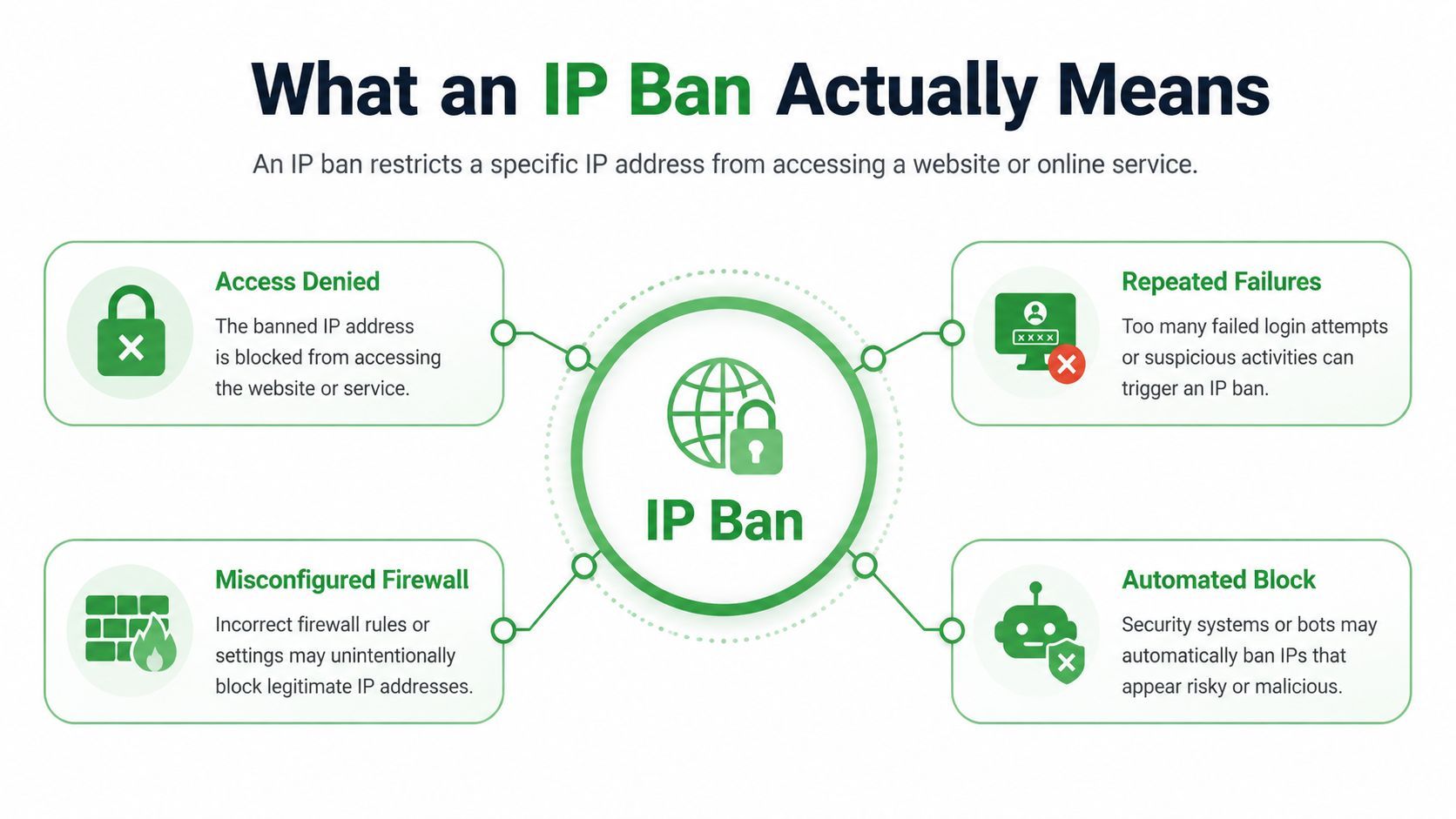
That timing creates the confusion. Your browser may display a normal login screen, yet an API client using the same public IP may fail. Or every person in an office may lose access at once because the office router presents one shared public address to the outside service. The same collateral effect can occur in a home network or a carrier NAT pool, where many devices and users share one outward-facing address.
Practical rule: If different accounts fail from the same network, test the network before changing the accounts.
A single request rarely explains the decision by itself. Operators generally react to a pattern such as sustained request bursts, repeated authentication failures, scraping behavior, or another signal that makes traffic look risky. That doesn't mean the requester intentionally violated a rule. Automated systems can make a network-level decision based on shared traffic, an inherited reputation, or a misconfigured firewall.
The distinction matters because changing a password won't repair a blocked egress address. Before you retry, identify whether the refusal follows the account or follows everyone using the same public IP.
Where the Block Actually Lives
An IP ban is a family of controls, not one universal switch. The enforcement point determines what your client sees and what your logs can reveal.
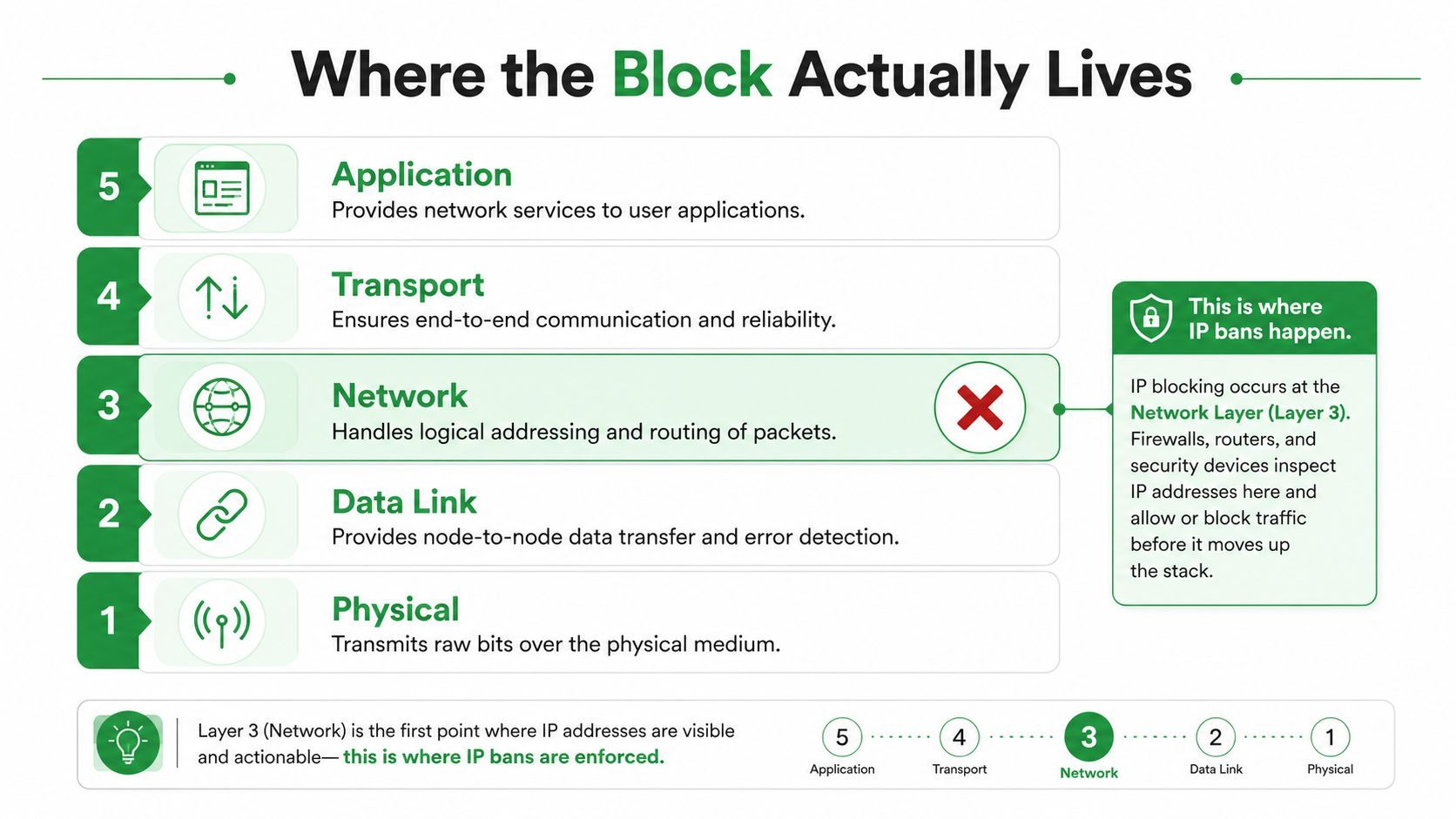
TCP/IP layer
At the lowest relevant level, a firewall or network device can reject traffic from a public IP address or range before an HTTP request completes. Your client may see a connection reset, a dropped connection, or a timeout. There may be no HTTP status code because the request never reached the web server's application-facing layer.
This is why a browser can appear to hang rather than show a clear error page. A timeout doesn't prove an IP ban, but it tells you to inspect connectivity and routing rather than immediately debugging JSON, cookies, or credentials.
WAF or edge layer
A web application firewall, CDN edge, or perimeter service can inspect the incoming connection and return an HTTP denial page. 403 Forbidden generally means the server understood the request but refused it. The response may include a branded security page, a request identifier, or instructions to contact the site owner.
At this layer, the application may never receive the request. The edge service can reject the traffic based on the source address, address range, network reputation, or a combination of observed signals.
Application layer
An application-level control often returns 429 Too Many Requests when request volume exceeds a configured threshold. It may include a Retry-After header that tells the client when to try again. A 429 is not the same control as a 403 firewall block, even though both prevent successful access.
| Response pattern | Likely enforcement point | First engineering response |
|---|---|---|
| Reset, drop, or timeout | TCP/IP or network firewall | Compare connectivity from another network |
| 403 denial page | WAF or edge policy | Check authorization, reputation, and block details |
| 429 with retry guidance | Application rate limiter | Reduce concurrency and honor the retry window |
The same user can receive different outcomes from different networks because each path may use a different egress address and enforcement decision. That makes the public IP a diagnostic variable, not just a networking detail.
Common Causes That Trigger an IP Ban
A developer launches a data job after a deployment. The code is correct, but a queue configuration sends many workers through one egress address at once. The target service sees a concentrated burst, and its firewall treats the pattern as automated abuse. The first request wasn't necessarily malicious. The sustained behavior made the source look risky.
That scenario reflects the most common trigger family, excessive request volume. Rate limiters and anti-abuse systems watch for bursts, high concurrency, and repeated access patterns. When the service returns 429, the immediate problem is usually request velocity. If the system escalates to a 403 or a network drop, the operator may be applying a stronger control at the edge.
Authentication can create a traffic pattern
Repeated failed logins can also trigger protection. A stale secret in a deployment, an incorrectly shared credential, or a retry loop can produce a stream of failed authentication requests. The platform may treat the source address as a threat even though the underlying problem is a configuration error.
Fixing the credential matters, but stop the retry loop first. Otherwise, every diagnostic attempt can reinforce the same signal.
Scraping and bot-like behavior
A scraper that requests pages in a rigid sequence, ignores session state, or accesses protected fields can look unlike a normal user. Automated systems may flag the combination of request timing, repeated paths, and missing interaction signals. A policy violation can trigger a block even when the request count isn't the main issue.
Geographic anomalies create another false-positive path. A production client that normally connects from one region may suddenly appear from an unexpected location because a worker moved to a different cloud region, VPN exit, or proxy pool. The platform may interpret that change as account takeover or coordinated automation.
The broader trend is toward automated anti-abuse decisions based on high-risk traffic patterns, including bot-like behavior, spikes, and geographic anomalies, rather than only manual punishment for an explicit rule violation (background on automated blocked-IP enforcement). One recent report cited there recorded a 116.42% increase in blocked IP addresses, but that figure describes the report's enforcement data, not a universal rate for every service.
The practical lesson is simple: inspect the behavior around the failure. Identify which worker sent the requests, which credentials it used, how quickly it retried, and whether unrelated users shared the same egress address.
How to Detect and Verify an IP Ban
Treat the diagnosis like a small incident investigation. Don't label every 403 an IP ban, and don't rotate infrastructure before you know what changed.
Start with the response itself:
- Read the status code and body. A 403 points toward refusal, often at an authorization or WAF layer. A 429 points toward request volume and should prompt a slower retry strategy.
- Inspect response headers. Look for
Retry-After, request identifiers, vendor-specific block headers, and a server name that indicates whether a CDN or edge service generated the response. - Stop aggressive retries. Repeating the same request can preserve the pattern that caused the block, especially when the service is detecting sustained automated activity.
- Test from another network. Try a separately managed connection, such as an approved test network or mobile connection. If the same account and request work there, the original public IP becomes a strong suspect.
- Compare users behind the original egress. Ask another user on the same office or household network to try a harmless request. Consistent failure across accounts suggests a network-level restriction, while one-account failure suggests an account or credential issue.
- Use verbose client diagnostics. A tool such as
curlwith verbose output can show whether the TCP connection completes, whether TLS negotiation succeeds, and whether an HTTP response arrives. Keep sensitive authorization values out of shared logs. - Trace the path where appropriate.
traceroutecan help show where packets stop progressing, although intermediate routers may ignore probes. Use it as supporting evidence, not proof.
A simple comparison matrix helps prevent intuition from taking over:
| Test | Result | Strongest interpretation |
|---|---|---|
| Same account fails on two networks | Fails everywhere | Account, token, or application issue |
| Same account works on another network | Network-specific failure | Public IP, route, or edge policy |
| All local users fail | Shared egress problem | IP or local firewall control |
| 429 appears with retry guidance | Volume control | Back off and reduce concurrency |
| Timeout occurs before HTTP | Lower-layer rejection | Inspect TCP/IP path and firewall behavior |
Don't call support until you can provide the timestamp, response code, request identifier, affected egress, and comparison result. That evidence turns “the site is down” into a reproducible access report.
Practical Steps to Get Unblocked
Once the evidence points to an IP-level restriction, use the least disruptive remedy first. The right fix depends on whether the block is temporary, caused by a client mistake, or attached to the reputation of your network.
Start with the reversible options
Pause the affected job and allow a temporary control to cool down. This is especially appropriate when the service returned 429 or explicitly provided a retry window. A 403 needs more caution, because immediate retries generally won't help until you change the request behavior, correct authorization, or resolve the network reputation issue (guidance on distinguishing 403 blocks from 429 limits).
Next, correct anything under your control:
- Fix credentials: Remove stale secrets, repair token refresh, and stop failed-login loops.
- Reduce concurrency: Lower worker parallelism and spread requests instead of sending a concentrated burst.
- Add backoff: Honor
Retry-Afterwhen present, then increase the delay after repeated refusals. - Preserve valid sessions: Avoid creating unnecessary login attempts or discarding cookies between related requests.
Ask the operator to review the decision
If legitimate traffic still fails, contact the service's support or abuse team. Include the public IP, relevant timestamps, request IDs, account identifiers, and a concise explanation of the workload. Ask whether the restriction is temporary, what behavior triggered it, and whether the operator can approve your integration pattern.
That route is safer than trying to disguise traffic. The service owner controls the firewall and may be able to remove a false positive or provide an approved API path.
Change the egress only when permitted
For an individual user, testing a different approved network can confirm the diagnosis. For a production pipeline, route traffic through a provider-sanctioned proxy or managed API only when the target's terms allow it. A legitimate free IP address changer guide can help explain network-origin changes, but changing an address isn't a substitute for correcting abusive request behavior.
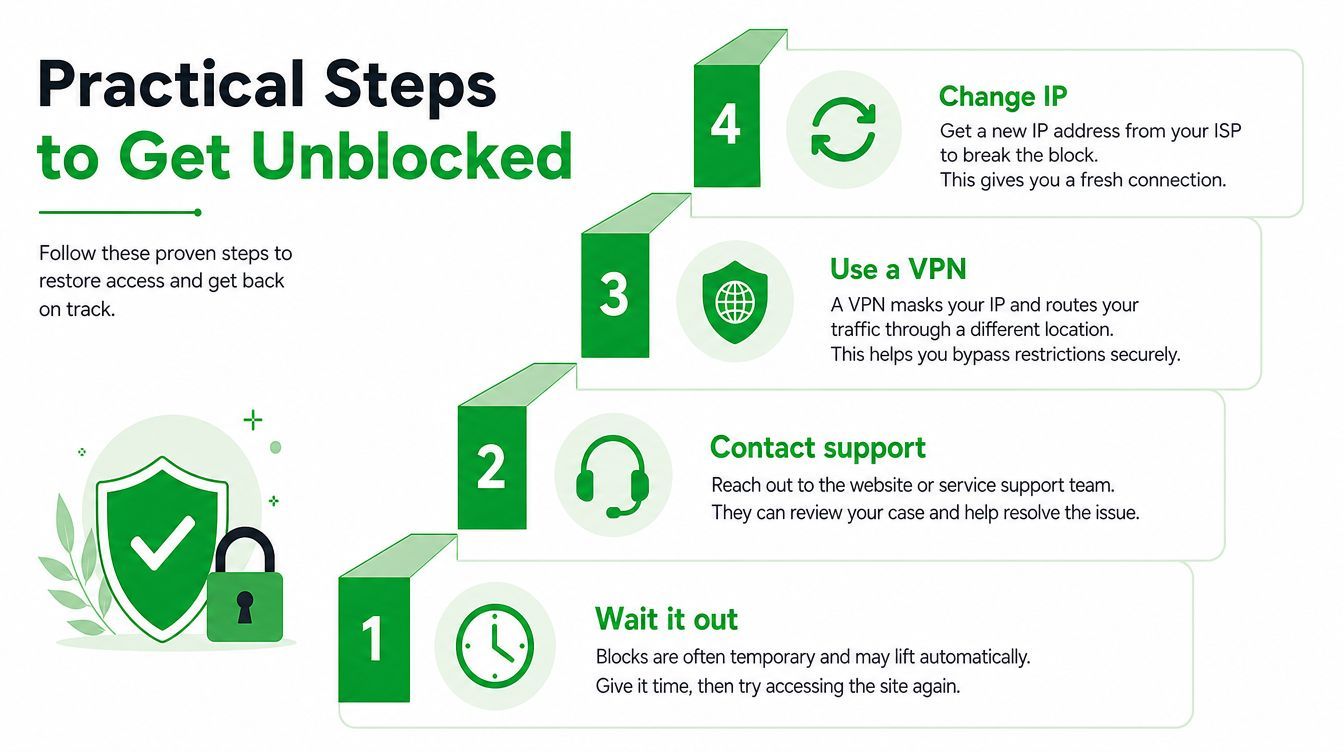
Rotating an egress address may restore access to an IP-only block, but it won't repair invalid credentials, an application policy denial, or a client fingerprint that continues to trigger detection. If your workload repeatedly reaches this point, redesign the access path instead of adding more retries.
Preventing IP Bans in Production Systems
The most reliable unblock is a system that doesn't generate suspicious traffic. Production clients should make their behavior predictable, observable, and compatible with the service's published limits.
Begin at the request scheduler. Set a deliberate concurrency ceiling, pace jobs across time, and apply exponential backoff after a refusal. When a response includes Retry-After, treat it as an instruction from the service, not as optional metadata. A client that ignores the header can convert a temporary rate limit into a stronger network control.
Authentication hygiene matters just as much. Store credentials securely, refresh tokens correctly, and separate workloads so one failing integration doesn't produce a shared storm of login attempts. Avoid sharing one credential across unrelated jobs when the service provides a supported way to identify clients independently.
Build observability around refusal signals
Success rate alone hides the early warning signs. Log status codes, response headers, request IDs, egress identity, retry counts, and the job that initiated each call. Alert on changes in 403 and 429 patterns before a complete outage reaches users.
Use a small operational checklist:
- Set rate limits: Keep client-side limits below the service's documented threshold.
- Use backoff: Stop or slow a job when the service signals overload.
- Monitor traffic: Group errors by worker, credential, route, and egress.
- Configure firewalls correctly: Ensure your own edge rules aren't rejecting legitimate destinations or creating retry loops.
- Prefer sanctioned routing: Use an approved proxy or API when the provider supplies one for automated access.
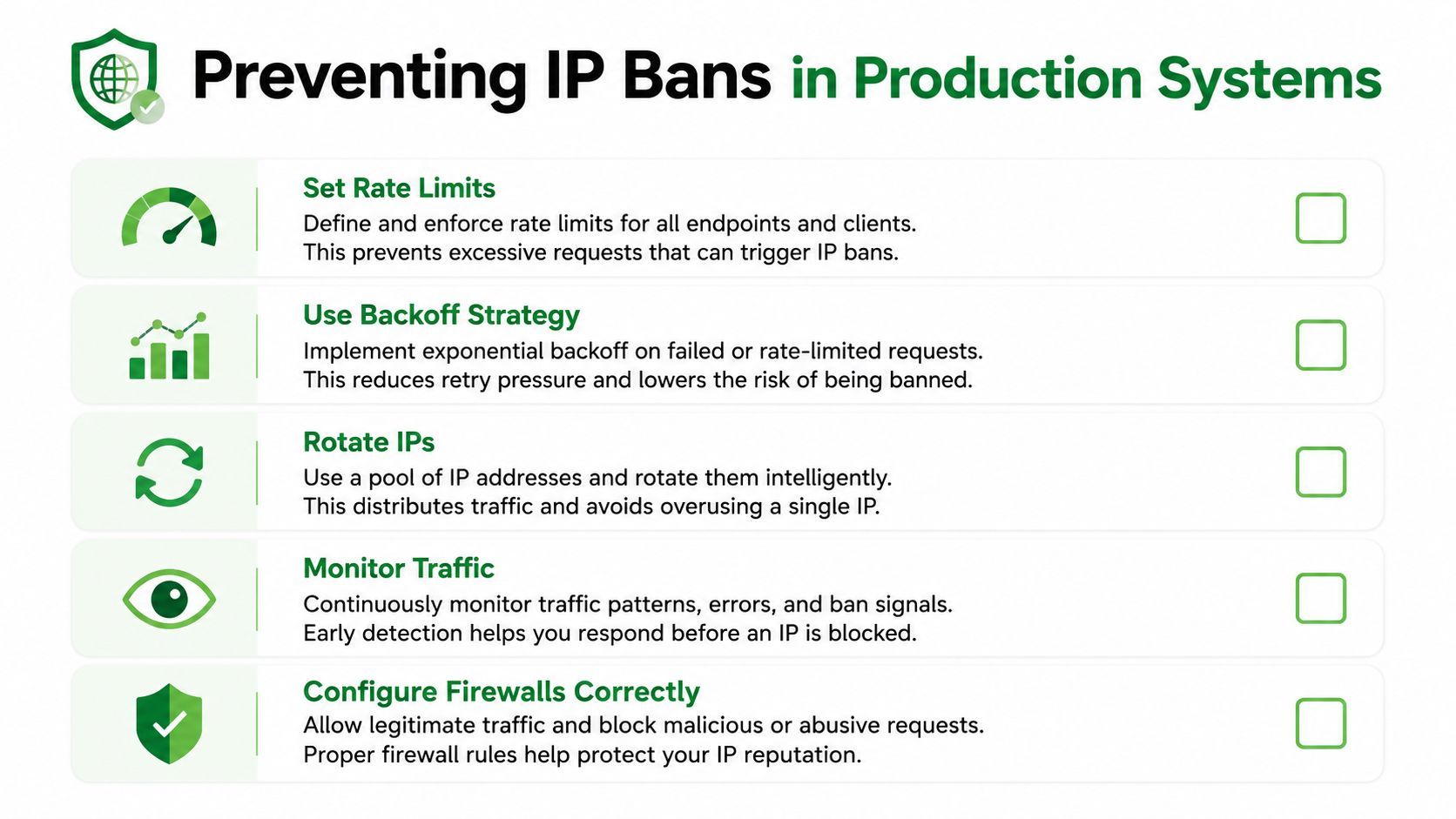
IP rotation can be useful for an approved architecture, but it shouldn't be the first response to every refusal. A rotating proxy design guide is relevant only after you understand session behavior, authorization, and the target service's rules. Aggressive rotation can make a legitimate workflow look less consistent, not more trustworthy.
The strongest design keeps related requests on a stable, identifiable session, caches data, deduplicates work, and sends only the traffic the product needs. Prevention is an architecture decision, not a single networking setting.
Legal and Ethical Considerations and Service-Specific Examples
Changing a public IP address is technically easy, but that doesn't make every use legitimate. Circumventing an IP ban can violate a service's terms, contract restrictions, or computer-misuse laws depending on the jurisdiction and the circumstances. The key distinction is between managing permitted traffic and deliberately evading a control that the service owner uses to protect its systems.
Before changing your network path, ask:
- Does the service permit automated access?
- Are you using an official API or an approved integration method?
- Does the workflow collect personal, restricted, or account-only information?
- Have you contacted the operator about a suspected false positive?
- Can you reduce the workload instead of disguising it?
A VPN or proxy may be reasonable for testing a network-specific false positive or accessing content the provider explicitly makes available in that region. It isn't a universal answer to a WAF decision. If the service evaluates behavior, sessions, or client characteristics as well as the address, a new IP may leave the underlying problem untouched.
YouTube illustrates why this distinction matters. A media ingestion pipeline can encounter bot-detection pages, sign-in challenges, unavailable videos, or restrictions that aren't solved by repeatedly changing egress addresses. Teams building download or analysis workflows should use a permitted API or integration path rather than treating YouTube's defenses as an obstacle to bypass.
For a practical example of how “sign in to confirm you're not a bot” errors can arise in media workflows, see this guide to YouTube bot-verification errors. The responsible response is to identify the supported access method, respect content and account restrictions, and stop the workflow when it can't establish permission.
A successful request isn't automatically a legitimate request. Access architecture has to satisfy the service's rules as well as your application's reliability goals.
If the operator won't approve the workload, redesign it. Use licensed data, an official endpoint, a managed provider with explicit permissions, or a smaller workflow that stays within the published conditions. That approach protects the service, your users, and your team's ability to maintain the integration.
Common Questions About IP Bans
How long does an IP ban last?
There isn't one standard duration. Some controls are temporary responses to traffic bursts, while others remain until the operator reviews the address or changes the rule. Check the denial page, response headers, and provider documentation, then ask support rather than repeatedly testing the block.
Does an IP ban affect one account?
Usually, an IP-level restriction can affect every account and device that shares the blocked public address. An account restriction follows the account instead. Test the same harmless request with another authorized account and from another network to separate those two cases.
Will a VPN always fix an IP ban?
No. A VPN changes the apparent network origin, so it may help confirm that the original egress is blocked. It won't fix bad credentials, excessive request volume, application authorization, or a policy decision that follows the account or client behavior. Use one only where the service permits it.
Should I keep retrying a 403?
No. A 403 means the server understood the request but refused it, so blind retries normally add noise rather than restoring access. Capture the response details, stop the failing job, inspect authorization and network scope, and contact the operator if the traffic is legitimate.
When should support get involved?
Escalate when an approved workload fails consistently, multiple users are affected, or you have evidence of a false positive. Provide timestamps, request IDs, response codes, public egress details, and results from a different network. If support confirms that your traffic pattern isn't permitted, redesign the integration instead of searching for a workaround.
If your product retrieves YouTube media, YouTube Download API provides an asynchronous REST workflow that handles bot detection, proxy and cookie management, extractor updates, direct CDN download links, and machine-readable errors. Visit the API to replace fragile, repeatedly blocked download clients with a production-oriented access path for ingestion, analysis, and media workflows.