Curl Add Header: Complete Guide to Custom HTTP Headers
Master curl add header syntax with practical examples for Authorization, Content-Type, multiple headers, Windows quoting, and libcurl equivalents.
Dalvo · August 13, 2026
Use -H or --header to add a custom header in curl, like curl -H "Header-Name: Header-Value" URL. To send more than one header, repeat the flag, for example curl -H "Header1: Value1" -H "Header2: Value2" URL.
You usually reach for this when an API rejects a request because a required header is missing, or when you need to reproduce exactly what a browser, client, or proxy is sending. The syntax looks simple, but the friction shows up in quoting, defaults, and the difference between request headers and proxy headers.
Table of Contents
- Basic Curl Header Syntax and Single Header Requests
- Sending Multiple Headers in One Curl Command
- Authorization and Content-Type Header Examples
- Windows Quoting and Cross-Platform Header Pitfalls
- Loading Headers from Files and Removing Default Headers
- Proxy Headers vs Request Headers Explained
Basic Curl Header Syntax and Single Header Requests
curl -H "X-Debug-Mode: true" https://httpbin.org/get is the fastest way to verify how curl sends a custom header. The syntax is still curl -H "Header-Name: Header-Value" URL, and --header is the same option with a longer name. Curl reads everything before the first colon as the header name, then sends the rest as the value, so quoting and spacing matter more than many people expect. That same request form is what you use when a service needs a specific header and you want to see the request exactly as curl sends it, including cases where a command line header overrides a built-in one such as Host, User-Agent, or Authorization. See the curl man page on custom headers for the canonical reference.
A simple test call can use any endpoint that echoes request details. Add a harmless custom header and inspect the response or verbose output:
curl -H "X-Debug-Mode: true" https://httpbin.org/get
That works because curl sends the header as part of the request, not as special CLI metadata. If you are moving from application code to the terminal, that mental model helps. Curl is just shaping the HTTP request line and header block directly, which is why it is useful for reproducing bugs that only show up in production.
Practical rule: if the service behaves differently in curl than in your app, compare the exact headers first. The mismatch is often in a default header you did not notice, not in the payload.
For teams that also script in Python, the same request-shape problem shows up in library code too, and a quick comparison helps when you are translating a terminal test into automation. A compact reference is this curl in Python guide, which is useful when you need to mirror a command in code without changing the header set.
Curl may also add default headers on its own, depending on the request and the environment. That is why a command can look identical on paper and still differ on the wire. When you are chasing a backend bug, start by assuming the server is seeing more than the one header you typed.
Sending Multiple Headers in One Curl Command
curl -H "Authorization: Bearer YOUR_ACCESS_TOKEN" -H "Content-Type: application/json" -H "Accept: application/json" https://httpbin.org/anything
That pattern is how you stack unrelated concerns in one request. Authentication, content negotiation, and custom metadata stay separate, so the command still reads like the wire format you are trying to send. When I am debugging an API call, that matters more than squeezing everything into one dense line.
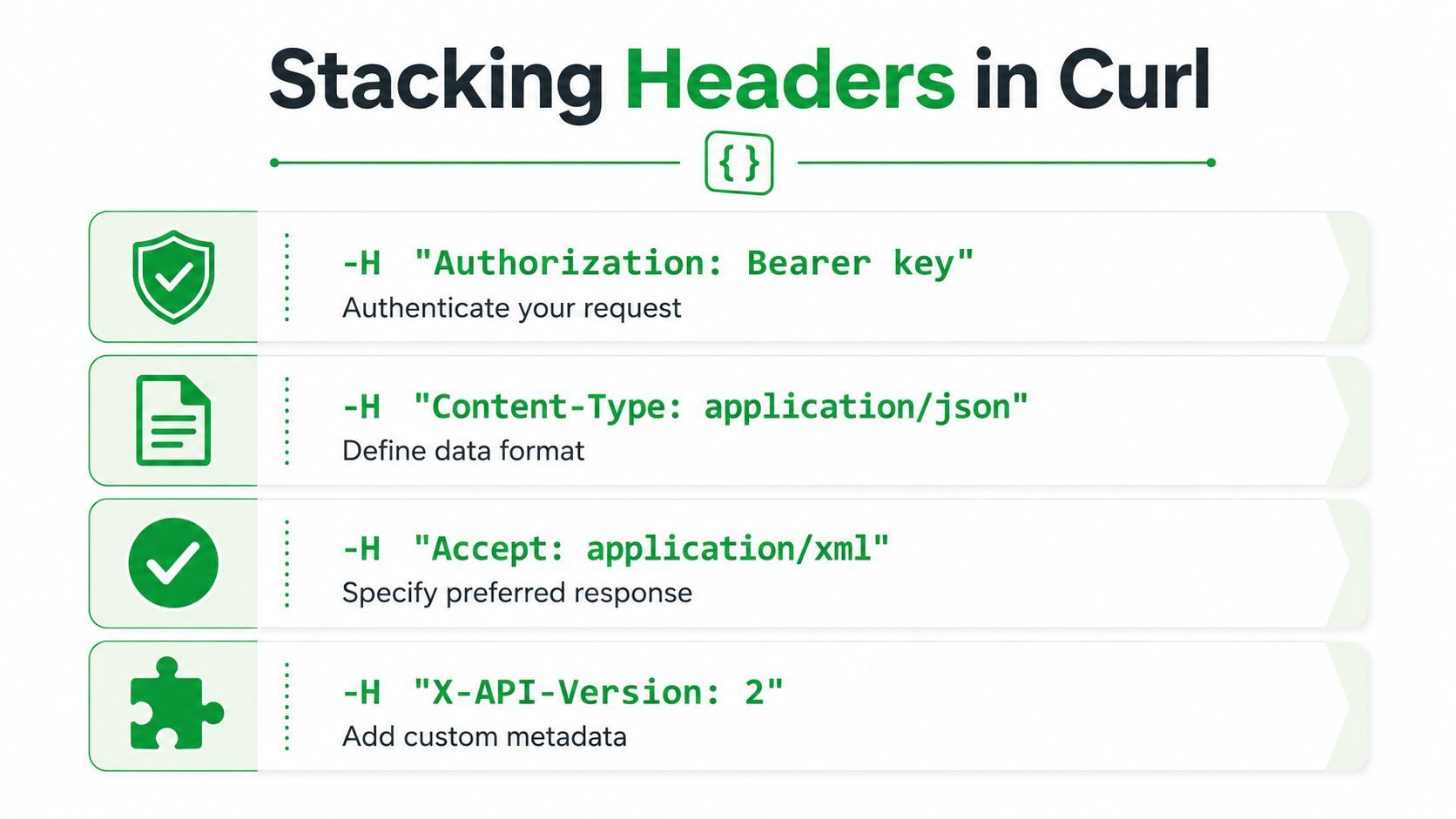
Each -H adds one header field. That makes the request easier to scan when you later need to add a version header, correlation ID, or feature flag for a backend team to verify. It also avoids the usual mistake of hiding the important part inside a shell wrapper too early, which makes comparisons against gateway logs harder.
For file uploads, the same pattern still applies, but -F usually handles the body while -H carries the extra request metadata. If the service wants both auth and a custom version header, keep both in the command and test the result directly:
curl -H "Authorization: Bearer YOUR_ACCESS_TOKEN" -H "X-API-Version: 2" -F "[email protected]" https://httpbin.org/post
Verbose mode is the quickest way to confirm what went out. -v shows the outgoing request headers, so you can see whether curl kept your custom header or substituted a default one. The HubSpot blog posts API example is a good reminder that real API docs often show the same header pattern, especially for bearer-token requests.
Useful habit: use
-vwhenever a request should work but does not. The terminal output often reveals a header mismatch before you waste time on the payload.
Curl can also inject its own defaults, and on many systems the one that surprises people first is User-Agent. If the server behavior changes between curl and your application, check the complete header set before you blame the body.
Authorization and Content-Type Header Examples
Authorization is the header that trips people up most often because the syntax looks trivial but the server's expectations are strict. For bearer tokens, the standard form is curl -H "Authorization: Bearer YOUR_ACCESS_TOKEN" URL, and technical guides document that this is a normal request header rather than a special curl feature. Curl handles it uniformly across REST APIs, proxies, and debugging tools, which is why the same command is useful for reproducing production auth behavior exactly. The curl header guide from IPWay shows the bearer-token pattern and explains why it's such a common API workflow.
Basic auth is different because curl has a dedicated flag for it. Use -u username:password when the server expects HTTP Basic authentication, and only fall back to an Authorization header if the API explicitly requires the header format. That distinction matters because some APIs parse the auth scheme differently and will reject a hand-built header even when the credentials themselves are valid.
Content-Type is the other header that causes silent failures. If you POST JSON, include Content-Type: application/json. If you're sending form-encoded data, use application/x-www-form-urlencoded. For uploads built with multipart form data, let -F manage the form body and keep the header logic aligned with the server's expectations. The research examples show JSON POSTs and file uploads with curl in the expected forms, which is the safest way to match what the backend wants.
For APIs that use custom auth headers, such as X-API-Key, keep the name exactly as documented by the service. This matters especially for product APIs that are built around a fixed header contract, like the YouTube download service, which documents X-API-Key on its endpoints and uses curl examples with that header in its API flow. In practice, that looks like this:
curl -H "X-API-Key: your_api_key" https://example.com/endpoint
If an API says it wants
Authorization, don't substituteX-API-Keybecause it feels equivalent. The backend usually checks one name, not the idea of authentication in general.
For a deeper example of how header-based auth fits into an API integration workflow, the API integration example is a useful companion read. The important part is not just sending a token, it's matching the exact header name, scheme, and body format the service expects.
Windows Quoting and Cross-Platform Header Pitfalls
Windows is where a simple curl add header command can fall apart. Bash on Linux and macOS treats single quotes as literal wrappers, but PowerShell and CMD have different parsing rules, so a command copied from a blog can fail even when the header text looks correct. The same line that works in a Unix shell can break on Windows because the shell eats or rewrites the quotes before curl sees them.
On Linux and macOS, this is fine:
curl -H 'Authorization: Bearer YOUR_ACCESS_TOKEN' https://httpbin.org/get
On Windows, prefer double quotes and be careful with nested quoting inside JSON bodies:
curl -H "Authorization: Bearer YOUR_ACCESS_TOKEN" -H "Content-Type: application/json" --data-raw "{\"name\":\"alice\"}" https://httpbin.org/post
If you paste single-quoted commands into Windows shells, the failure can be confusing because the shell may not complain in a way that looks like an HTTP problem. That's why debugging header issues on Windows often starts with reducing the command to one header and one URL, then building it back up.
Proxy headers are a separate category from request headers, and that distinction matters even more on Windows corporate networks where proxy settings are common. A header sent with -H goes to the destination server. A header sent with --proxy-header goes to the proxy. If you put auth in the wrong place, the request can look correct locally and still fail to reach the target API.
--data-raw is a good escape hatch when your payload contains quotes that turn the shell into the problem. It keeps curl from interpreting the body as a form submission and helps you avoid accidental encoding changes while you're testing. If you're automating on Windows, keep the command as small as possible and move anything complex into a file or script where the quoting rules are less hostile.
Loading Headers from Files and Removing Default Headers
Once header sets get long enough, hand-typing them becomes a liability. Curl's header file support solves that by letting you load headers from @filename, or even from STDIN with @-, which makes automation easier and keeps sensitive values out of command history. The libcurl docs describe the same pattern at the library level with CURLOPT_HTTPHEADER, so the command-line and programmatic models line up cleanly. See everything curl's HTTP requests page for the details on file-based header loading and advanced header handling.
A practical file might look like this:
Authorization: Bearer YOUR_ACCESS_TOKEN
Content-Type: application/json
Accept: application/json
X-Request-ID: run-001
Then you can send it with:
curl -H @headers.txt https://httpbin.org/anything
That pattern is useful in CI/CD, where repeated commands should stay stable and readable. It also reduces the risk of copy-pasting a token into a shell prompt that ends up in logs or history. If you need to generate the file dynamically, @- lets you feed headers from a pipeline or heredoc instead of storing them on disk.
Curl also lets you send an explicitly empty header when you need to override a built-in value. The advanced syntax uses a semicolon at the end of the name, which is useful when you want to clear a default that curl would otherwise add or replace. That behavior is documented in the libcurl guide and is handy when debugging server logic that reacts badly to unexpected defaults.
Rule that saves time: if a server response changes only when a default header disappears, don't fight the shell. Override the header explicitly, then verify the outgoing request with verbose mode.
For library users, the same mental model applies in code. CURLOPT_HTTPHEADER takes a linked list of headers, which means the list is part of the request state, not a loose set of options. That's the right abstraction when you're building repeatable automation, because it keeps the header set deterministic across runs.
Proxy Headers vs Request Headers Explained
This is the mistake that wastes the most time in locked-down environments. -H sends a header to the destination server, while --proxy-header sends a header to the proxy itself. If you authenticate to a corporate proxy with the wrong flag, the proxy may reject the connection before the request ever reaches your API.
--proxy-header is the right tool for proxy-specific authentication, while -H belongs on the request that reaches the target service. That difference matters with HTTPS tunneling too, because the proxy only sees the traffic it needs to establish the tunnel, not every destination header you intended for the final server. The curl rotating proxies guide is a useful companion when you're working through proxy routing setups that need clear header separation.
A quick troubleshooting pattern helps:
- If the proxy complains first: move proxy auth to
--proxy-header. - If the destination API says auth is missing: keep the auth header on
-H. - If both look right but nothing works: run
curl -vand inspect where each header goes. - If the request works without the proxy: the proxy layer is probably stripping or isolating the wrong header.
The cleanest mental model is simple. Proxy headers exist so the middle hop can validate the connection. Request headers exist so the origin server can process the application request. Mixing those up creates the classic “it works in curl, but not through the network” bug that takes way too long to spot.
If you need a service that pairs well with header-based API workflows, YouTube Download API exposes a bearer-token auth model and returns direct CDN download URLs through an async job flow. Visit YouTube Download API if you want to see how a production REST service structures authenticated requests and predictable responses around the same header patterns covered here.